About Surge 5
Surge is an advanced network toolbox and proxy utility. It is designed for developers and therefore requires professional knowledge to use. These four capabilities form the core workflow of Surge: . Takeover: Take over...
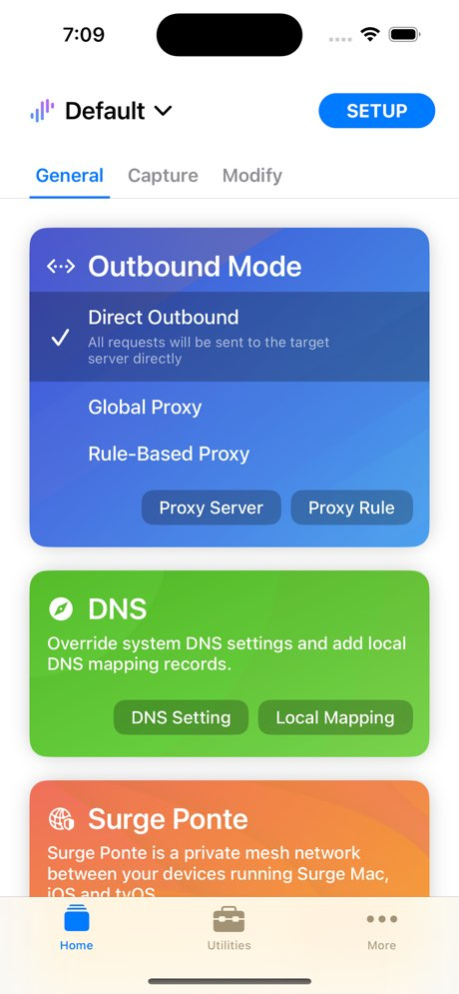
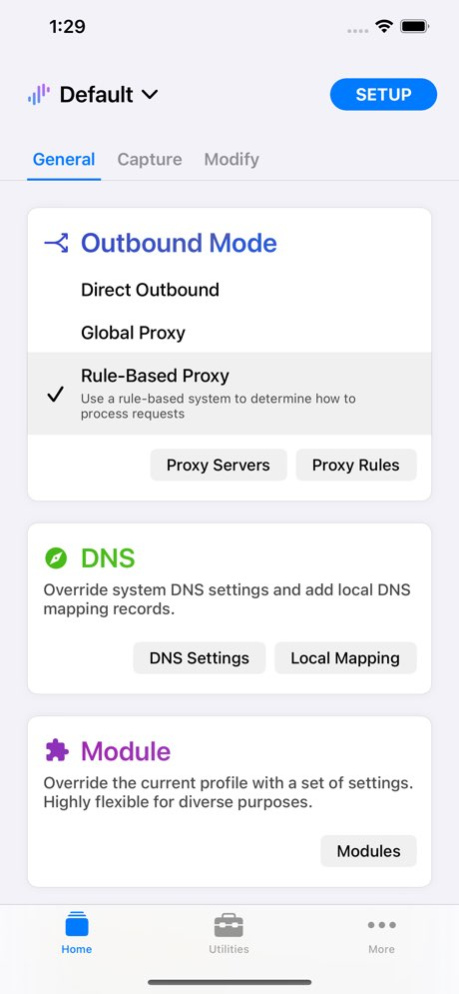
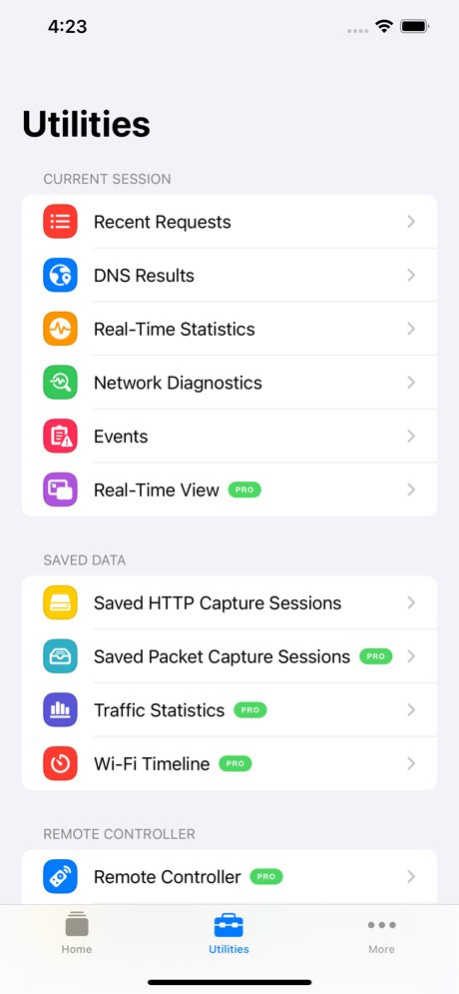
Surge is an advanced network toolbox and proxy utility. It is designed for developers and therefore requires professional knowledge to use. These four capabilities form the core workflow of Surge: . Takeover: Take over the network connections sent by the device. Surge supports both proxy service and virtual NIC takeover, capturing HTTP, HTTPS, TCP, and UDP traffic from any app - even those ignoring proxy settings. All features work on the cellular network. . Processing: Modify the requests and responses that have been taken over: URL rewrite, header and body rewrite, local file mapping, custom DNS answers, and JavaScript-based modification. . Forwarding: Forward requests to proxy servers, either globally or driven by a flexible rule system. Policy groups select the best server automatically by latency, availability, or learned connection quality. . Intercept: Record and inspect requests and responses, including headers and bodies, and decrypt HTTPS traffic with MITM. Highlighted Features . Proxy protocols: HTTP/HTTPS, SOCKS5, SOCKS5-TLS, HTTP2 CONNECT, TrustTunnel, Shadowsocks, Snell, Trojan, Hysteria 2, AnyTLS, and SSH, with UDP relay support. . Used as a WireGuard or Tailscale client, converting the L3 VPN into a proxy policy. . Rules based on domain match/suffix/keyword/wildcard, CIDR IP range, GeoIP, ASN, protocol, port, and logical combinations; reusable rule sets hosted locally or remotely. . Policy groups: manual selection, automatic latency testing, fallback, load balancing, and the self-learning Smart group. . Complete DNS suite: DNS-over-HTTPS, DNS-over-HTTP/3, DNS-over-QUIC, DNS-over-TLS, and concurrent queries for the fastest answer. . Local DNS mapping (equivalent to /etc/hosts) with wildcards, aliases, and per-domain DNS servers. Switch your app between production and development environments without changing any code. . Decrypt HTTPS traffic with Man-in-the-Middle and a built-in CA certificate generator. . Record and display HTTP requests and responses with JSON, text, image, and video viewers for the captured body; album mode for the request list; pre-filter for capturing. . Raw L3 packet capture. . Scripting: extend Surge with JavaScript - modify requests and responses, write custom rules, customize DNS answers, and run scheduled tasks. . Block unwanted requests by rules with high-performance pre-matching. . Measure traffic usage and network speed on Wi-Fi, cellular, and proxy connections. . Remote Dashboard: observe and debug traffic in real time from a Mac via Wi-Fi or USB, including cellular traffic. . Surge Ponte: access your home or office network remotely via your own devices, with no third-party service involved. . HTTPS proxy protocol supports client-side TLS certificate validation. . Safari extension to add rules; widgets and Information Panel for quick control. . Sync profiles across devices with iCloud Drive or Dropbox. . Full IPv6 support, TLS 1.3, HTTP/2, and QUIC. . High performance and industrial-grade stability, suitable for intensive use. Surge does not provide any proxy or VPN service; you need to configure your own servers. You may read the online manual for more information: https://nssurge.com/support Terms and Conditions: https://nssurge.com/legal/terms Privacy Policy: https://nssurge.com/legal/privacy
Version History New Features - Policy group widgets now support the extra-large size on iOS 27. - Added a medium-sized iOS widget with start/stop controls, running status, and one-tap switching between Rule-Based Proxy, Direct Outbound, and Global Proxy. - Added `UNKNOWN` support to `GEOIP` and `IP-ASN` rules, allowing IP addresses without matching country or ASN database entries to be matched. This works in both individual rules and rule sets. Fixes and Improvements - Fixed lower-than-expected results under extreme throughput performance testing. - Fixed failed cellular backup connections in Wi-Fi Assist or Hybrid mode prematurely aborting an ongoing Wi-Fi connection attempt. - Fixed Pre-Matching remaining enabled after changing a rule to a non-reject policy or unsupported rule type. - Fixed Hysteria UDP forwarding with servers where HTTP/3 Datagram negotiation interfered with UDP traffic. - Fixed missing traffic statistics for UDP connections through proxies and tunnels, including WireGuard and Tailscale. - Fixed a rare issue where closing a UDP proxy connection during packet reception could stall other Surge traffic. - Fixed SF Symbol policy-group icons not responding correctly to appearance changes on iOS. - Improved resource updates on iOS: pending automatic updates resume when the app becomes active, duplicate downloads are avoided, and stale errors are cleared after a successful background refresh. 5.22.1 Sep 13 New Features - Added a full-featured Terminal to Surge iOS, providing CLI-based diagnostics, rule explanations, policy-group inspection, command completion, and history. - Added MASQUE proxy support using HTTP/3 CONNECT and CONNECT-UDP. - HTTP/2 CONNECT proxies can now relay UDP traffic with `udp-relay=true`. - TrustTunnel can now use HTTP/3 transport with `h3=true`. - Added group-level proxy chaining. Policy groups can connect concrete proxy members through an underlying proxy. - Added a Prometheus-compatible `/metrics` endpoint to the HTTP Controller. - Added a graphical Policy Priority editor for Smart Groups. - Added event-script support for `engine-started` and `profile-reloaded`. - Added notification controls for proxy clients, scripts, and rule matches. - Added Arctic and Pulse app icons. Tailscale - Added peer-relay support through eligible tailnet devices, with Direct → Peer Relay → DERP priority and runtime latency information. - Interactive sign-in now supports tailnets requiring administrator device approval. - Improved interrupted sign-in recovery by reconnecting and continuing the existing authorization flow. - Improved compatibility with the Tailscale administration console and version-gated operations. - Fixed connectivity after the control server assigns a new tailnet address. - Improved recovery after network changes, UDP binding failures, expired connections, and multi-peer configurations. #### Profiles, Includes, and Rulesets - `#include` directives can now be freely combined with regular section content. - Sections using multiple or mixed includes are presented as read-only when their write-back destination is ambiguous. - Added wildcard detached-section includes for `[Ruleset *]`, `[WireGuard *]`, and `[Tailscale *]`. - Added `DEVICE_NAME` to the profile environment for use in `#!REQUIREMENT`. - Added diagnostics for missing WireGuard and Tailscale configuration sections and clarified named-include behavior. - Local and inline rulesets can now be edited graphically on macOS and iOS. - Rulesets can reference other inline rulesets and external `RULE-SET` or `DOMAIN-SET` sources. - Circular ruleset references are rejected with a clear reference chain. - The ruleset editor now better preserves blank lines, comments, disabled rules, and source locations. - Fixed rules created inside rulesets or logical rules retaining an unintended hidden policy value. - Improved selection of the appropriate write-back target when mixed includes are used. - Fixed `[General]` values containing `#`, `//`, or `;` being altered after saving. - Profiles changed on disk or through iCloud now reload automatically, while invalid updates leave the working configuration active. - Module installation state is no longer governed directly by iCloud. - Cloud synchronization now excludes `.git` and `node_modules`. UI and Editing - The bottom tab bar remains visible during navigation to avoid UIKit transition glitches. - The Script Editor now uses a dedicated modal interface with an improved toolbar and keyboard layout. - Remote Controller and Ponte Diagnostics are available for all Ponte devices, including shared devices. - Improved policy-group icon handling across themes and profile reloads. - Virtual IP records and search results now use self-sizing rows. - Fixed policy groups using an underlying proxy being unavailable from the UI. - Improved module error reporting for download, parsing, writing, and installation failures. Networking and Reliability - `[Host]` domain aliases can specify a dedicated DNS server. - Fixed recursive HTTP/3 timer processing that could cause stack overflow. - Fixed QUIC connections stalling after receive-side backpressure. - Fixed long-running Ponte and Vector sessions eventually exhausting their ability to open relayed streams. - Improved MITM certificate generation and certificate-chain handling. - Fixed several additional crashes and minor issues. 5.22.0 Sep 1 What's New Surge as MTProto Server - Surge now can operate as an incoming MTProto proxy server for Telegram. Please read manual for more information: https://manual.nssurge.com/ Tailscale - Added interactive Tailscale sign-in on iOS and macOS. Resolve the issue where some enterprise users are unable to obtain the auth key. - Added automatic Tailscale routing. Surge can discover the tailnet’s MagicDNS suffix and peer IPv4/IPv6 addresses, then automatically route matching domains and peer IP traffic through the corresponding Tailscale policy. - Automatic Tailscale routing is enabled by default and can be disabled with `auto-add-magic-dns-rule = false`. - Improved Tailscale session warm-up and recovery. Sessions now retry MagicDNS discovery after startup failures and network changes without requiring matching traffic to arrive first. - Tailscale sessions now stay active by default. An omitted `idle-keepalive`, `0`, or `-1` keeps the session always active; set a positive value to enable idle teardown. - Tailscale can now begin handling traffic as soon as a valid network map is received, without waiting for the home DERP connection to be established. - Improved recovery after network changes and control-server reconnections by preserving the last known home DERP region and retrying peer handshakes at the appropriate time. - Aligned DERP measurement and selection behavior with official Tailscale client, improving compatibility with custom DERP maps, STUN-only nodes, fallback probes, and temporarily unavailable control connections. - Sensitive values such as authentication keys and authorization URLs are now redacted from verbose Tailscale control logs. TLS - Added `server-cert-verify-name` to independently specify the hostname used for proxy server certificate verification without changing SNI. This parameter applies to all TLS- and QUIC-based proxy protocols. ECN - Reworked ECN configuration and packet handling across QUIC, WireGuard, Tailscale, Ponte, and nested UDP tunnels. - Correctly preserves ECN and DSCP/TOS metadata across IPv4 and IPv6 encapsulation and decapsulation. - For QUIC-based proxy protocols, when ECN is enabled, anomalies will be automatically detected and fallback to non-ECN handling. - ECN is now enabled by default for QUIC-based proxy protocols on supported systems. WireGuard and Tailscale remain disabled by default. Use `ecn=false` or `ecn=true` to override the default explicitly. - Surge Ponte now also has ECN enabled by default, and the `client-use-ecn` parameter has been removed. DNS - Optimized TCP connection establishment for `prefer-v4` and `prefer-v6`. In earlier versions, these two parameters indicated which record to use when a domain name had both A and AAAA records. Now, during the TCP handshake, A or AAAA records are used preferentially; if the handshake cannot be completed within 3 seconds, other records will start to be tried. - Added DNS-over-TCP support. DNS server settings now accept `tcp://hostname[:port]`. iOS - Raised the minimum system requirement to iOS 17. - Reworked Shortcuts and App Intent support and improved the reliability of App Intent operations. - Added manual Suspend and Bypass Suspension controls. The Ponte management page, scripts, and local proxy services remain available while Surge is suspended. - Snell Server can now be configured and used on iOS and tvOS. Codebase Refactoring After more than a decade of development, the Surge codebase has grown into a large and complex project. To further improve reliability, we have introduced AI-assisted code review across the entire codebase. Every code change is independently reviewed by Fable 5, GPT-5.6 Sol, and a human developer before being merged, helping us identify potential security issues, rare crash scenarios, and subtle correctness problems. Due to the large number of updates, please refer to the Mac version release notes for details: https://nssurge.com/support/mac/release-notes 5.21.1 Aug 11 ### Tailscale Support Surge now supports Tailscale as a policy. With this feature, Surge can join your Tailscale tailnet directly and route selected traffic through Tailscale peers using the existing Surge rule system. You can use Tailscale IPs, and tailnet-only services together with Surge policies, policy groups, DNS handling, traffic logging, and rule-based routing. Please check the manual for more information: https://manual.nssurge.com/policy/tailscale.html ### Snell v6 Introduced Snell v6, featuring PSK-derived deployment-level protocol diversity that generates unique traffic characteristics for each deployment, reducing reliance on a single protocol fingerprint while preserving Snell’s core goals of performance, deployment simplicity, accurate error reporting, and full TCP semantics. Snell v6 also adds new IPv4/IPv6 network stack controls including dns-ip-preference and multi-address listen support, and is currently available for beta testing. Please check our blog for more information: https://nssurge.com/blog/snell-v6/ ### Codebase Refactoring We have completed a comprehensive review of Surge’s core functionality and resolved numerous implementation issues, edge cases, and long-standing inconsistencies. This ongoing refactoring effort improves maintainability and helps provide a more robust foundation for future development. ### WireGuard WireGuard policies now use a dedicated native RTT test when no DNS server is configured, making them suitable for peer-to-peer access without requiring a reachable test URL. When a DNS server is configured, the policy is treated as a standard outbound proxy and continues to use the regular URL test process. WireGuard runtime information and diagnostics have also been updated to reflect the applicable testing mode. ### Minor Improvements - The Smart Group algorithm has been reviewed and upgraded, fixing several potential issues. - The `header` parameter for the HTTP proxy type can now override original fields, including Host field. - Added Gecko obfuscation support for Hysteria2, configured using the `gecko-password` parameter. - All TLS proxy protocols now support customizing ALPN using the `alpn` field. - When local DNS mapping is specified using server, multiple DNS servers can now be configured. - URL scheme actions are now supported in Surge Mac. Check manual for more information. - Enable the keep-alive mechanism for all QUIC-based protocols ### Other - Optimize the performance of Surge Ponte. - The UI configuration interface has been completed for the recently added proxy protocol parameters, including Tailscale. - Fixed an issue where the `header` parameter did not take effect in HTTP/1.1 CONNECT mode. - Fix some issues when using SF Symbols for policy group icons. - Fixed compatibility issues between DoH3 and some servers. 5.20.0 Jul 20 Adjustments to the Feature Update Subscription for Surge iOS Since the introduction of the feature update subscription mechanism for Surge iOS, we have aimed to maintain a reasonable balance between continuously evolving the product’s capabilities and ensuring a reliable long-term user experience. After evaluation, we have decided to make the following adjustments: 1. All newly added proxy protocol compatibility support in the future will no longer be included within the scope of the feature update subscription, and will be available directly to all users. 2. TrustTunnel, which is currently supported on an experimental basis, will also not be subject to subscription restrictions and can be used directly. We believe that protocol compatibility should be a fundamental capability provided in a stable, long-term manner, rather than a phased incremental feature. This means that, in the future, users will not need to worry about the availability of basic protocol support due to their subscription status; new protocol compatibility capabilities will also be made available to all users more directly and continuously. After this adjustment, subscription updates will focus more on new advanced features, while protocol compatibility itself will be maintained as a long-term foundational capability of the product. At the same time, the proxy protocol ecosystem itself is also constantly changing. Some protocols continue to evolve, while others gradually fall out of mainstream use cases. To ensure the long-term maintainability of Surge’s codebase and the overall quality of the product, we will also take actual usage into account when placing certain legacy protocols into maintenance freeze, or gradually ending support for them in the future. We will handle related adjustments as cautiously as possible and provide explanations in advance, in order to minimize the impact on existing user profiles and user experience. Thank you all for your continued support and feedback. --------------------- * Added HTTP/2 CONNECT proxy support. You can configure HTTP/2-based CONNECT proxy connections via the h2-connect type. * HTTP, HTTPS, HTTP/2 CONNECT, and TrustTunnel proxies now support custom request headers. * HTTP/2 CONNECT and the TrustTunnel proxy now support multiplexing. Because too many sub-connections multiplexed over the same TCP connection may cause performance issues, by default up to 3 sub-connections are allowed. This can be adjusted via the policy parameter `max-streams`. * The storage logic for icon configuration in the iOS version has been adjusted. Now, when the profile is editable, it will preferentially be written into the profile to ensure interoperability with the Mac version. Only when the profile is read-only will a separate UI profile be used for storage. * Fixed an issue where sending SNI did not strictly comply with RFC6066. Now, when an IP address is used as the hostname, the IP address will not be sent as SNI. * Fixed an issue where crashes could occur when using ShadowTLS with certain servers. * Fixed an issue where, when the Logbook contained a very large amount of data, it could not be viewed remotely via the Dashboard. * Other performance optimization and minor enhancements. 5.19.0 Jun 8 (Because the interval since the last subscription feature update was too long, all users whose subscription feature expiration date is after December 11, 2025 have been granted a free 3-month extension.) New subscription feature: Logbook, used to persistently record various events that occur, - Currently includes events such as engine start and stop, network switching, script start and stop, script timeout, etc. - The logbook is specially optimized for script debugging, making it easy to view a script’s input, output, and logs. At the same time, scripts can proactively write content to the logbook using $surge.logbook("content") - Surge Dashboard on Surge Mac can read the logbook content of remote Surge instances, and all script execution details can be accessed remotely Other improvements - Added support for the X25519MLKEM768 post-quantum hybrid key exchange group for all TLS-related features (such as proxy protocols, MITM, DoH/DoT/DoH3) - Improved the $persistentStore management page, adding operations such as search, import/export, and delete all - Refactored memory management for the QUIC protocol to resolve an issue where, under certain circumstances, QUIC-based protocols could experience sudden excessive memory usage that caused Surge to be terminated by the system - Fixed a memory leak when using Trust Tunnel - Fixed a crash that could occur with extremely low probability - Fixed an issue where API requests could get stuck when HTTP API TLS is enabled - Fixed some UI detail issues 5.18.0 May 6 Added - Experimental support for the Trust Tunnel protocol - Added an Intent for profile switching; you can now switch the current Surge profile directly in Shortcuts - Added a Debug message toggle on the Ponte page; when enabled, detailed connection status messages will be shown during the Ponte connection process - Support for directly referencing hosted profiles without first adding the hosted profile as a local profile (i.e., the Linked Profile feature on macOS) - Enterprise/Team license can now be used on the tvOS version Improved - All parameters for the throughput test are now customizable - Added a workaround to address an issue on newer iOS versions where, after long scripts run for a while, setTimeout is throttled by the system’s resource saving and can fire at most once every 2 seconds - Policy groups no longer validate the validity of sub-policy names. If a referenced sub-policy does not exist, the non-existent options will be automatically hidden at runtime. The include-other-group parameter has been adjusted similarly. Note: using a non-existent policy in [Rule] will still trigger a hard profile error prompt. Fixed - Fixed a compatibility issue between AnyTLS and some servers (when reuse is enabled, if a previous request fails, subsequent requests could hang) - Fixed a rare crash when using QUIC-type protocols or h3 DNS - Fixed an issue where only the small card view could display the “Update External Resources” menu item 5.17.1 Mar 14 - Optimize various UI details and presentation on iOS 26. - New subscription feature: compatible with the AnyTLS (v2) proxy protocol. - Supports Hysteria 2 Salamander obfuscation mode. - Optimize QUIC SNI extraction to support extracting SNI from incomplete initial packets - On the policy group page, long-press a policy group with a profile that has a policy-path to update the policy group directly. - The QUIC block behavior for all proxy protocols has now been adjusted to be blocked by default. 5.17.0 Jan 14 Bug fixes and other improvements 5.16.3 12/10/2025 Bug fixes 5.16.2 10/24/2025 - Added bandwidth testing feature - Bug fixes 5.16.1 10/01/2025 - Adapted to the latest iOS version interface style. - Added external IP and NAT type detection features. 5.16.0 09/16/2025 Bug fixes and minor enhancements 5.15.2 08/13/2025 Bug fixes 5.15.1 07/16/2025 Built with the Surge v6 core, synchronizing new features from Surge Mac 6.0, including: - Significant performance improvements to the Surge VIF Engine (free update) - Improvements to Surge Smart Group (free update for unlocked users) - Surge Ponte 2.0 - Multiple Channels (requires use with Surge Mac 6.0) - Snell v5 (feature subscription required) For full details, please refer to the Surge Mac 6 release notes: https://kb.nssurge.com/surge-knowledge-base/release-notes/surge-mac-6-release-note 5.15.0 07/11/2025 - Added [General] parameter `block-quic`, which is used to globally override the behavior of blocking QUIC traffic. - Optimized the text and JSON viewer in the request inspector, now supporting large files and code highlighting. - Rewrote HTTP script-related implementation; it now performs better and uses less memory when handling large bodies. - Supports SNI extraction for gQUIC. - Refactored traffic statistics functionality; now, even if you haven't entered the main program for a long time, you won't have to wait a long time when accessing the traffic statistics page. - Added export feature to traffic statistics. - Other detail optimizations and bug fixes. 5.14.6 05/11/2025 - Support DNS over TLS. - Bug fixes and performance improvements. 5.14.5 03/26/2025 - When enabling the HTTP capture switch, all active connections will now be forcibly interrupted to ensure that no requests are missed due to existing long connections. - Optimized compatibility with some QUIC clients, such as Lark. - Fixed an issue where download data bytes in statistics was incorrect after modifying the request HTTP using scripts or other mechanisms. - Adjusted the priority of processing logic when forwarding QUIC. Now, for a proxy policy that does not support UDP forwarding, it will prioritize considering QUIC Block before falling back to DIRECT or REJECT. - Bug fixes and other improvements. 5.14.4 02/20/2025 New Feature: Port Forwarding - This feature is commonly used in development and debugging scenarios such as connecting to servers like MariaDB using SSH. #!REQUIREMENT upgrade - Now provides three simple notations: #!IOS-ONLY, #!MACOS-ONLY, and #!TVOS-ONLY. - Content disabled by this end-of-line comment can now be displayed and edited in the UI. It will appear as disabled when conditions are not met, and if enabled, restrictions will be automatically removed. [Host] Optimization - [Host] section supports configuration using DOMAIN-SET and RULE-SET to improve matching efficiency. Use case: Other Improvements - Added option icmp-forwarding, enabled by default. - Optimize using Smart policy groups as the underlying proxy. Now, in this usage scenario, the characteristics of Smart policy groups can be fully utilized. - Bug fixes and other improvements. 5.14.3 01/20/2025 - Bug fixes and improvements. 5.14.2 12/09/2024 Bug fixes 5.14.1 11/07/2024 New Features - Added pre-matching rules for low-overhead request rejection. Please refer to the documentation for details. https://manual.nssurge.com/policy/reject.html - Body Rewrite supports using JQ expressions to manipulate JSON. - The shadowsocks protocol adds support for the `2022-blake3-aes-256-gcm` and `2022-blake3-aes-128-gcm` encryption modes - Adapted icon mode for iOS 18. - New Control Center control for HTTP capture. - DNS now supports system search domain settings - Added parameter proxy-restricted-to-lan to restrict the proxy to only accept devices from the same subnet - When updating external resources, ETag will be recorded and sent; re-download will not be triggered if the resource has not changed Improvements - Overall optimization and improvement of UDP forwarding. - The policy group list view supports configuring custom icons. - Resolved issues with real-time display on iOS 18 - Optimized the display effect of policy group icons - Improved HTTP engine compatibility with non-standard requests - More explicit error prompts when Surge is activated without a network connection - Enhanced error handling logic for encrypted DNS, retrying immediately upon encountering errors - Added warning messages for excessive [Host] entries - The URL-REGEX rule now supports `extended-matching` tags. - Allow the use of Ponte policy as an underlying proxy. Bug Fixes - Fixed an issue where Control Center/home screen widgets would still show as active even when Surge was turned off - Fixed a memory leak issue in encrypted DNS under certain errors - Corrected subscription cycle constraint errors for new icons - Other bug fixes 5.14.0 11/01/2024 - Control Center Widget: On iOS 18, you can now quickly toggle Surge in the Control Center. - New Icon: Sapphire. - Added Ponte diagnostic function for quickly locating Ponte-related issues, accessible from the Ponte device page. - Port Hopping: Hysteria2 and TUIC protocol now support port hopping to improve ISP's QoS issues with UDP. See the server documentation for details. - Added `[General]` parameter `show-error-page`, which is used to control whether Surge's HTTP error page is displayed when an error occurs. This parameter is enabled by default, and the behavior is consistent with previous versions. - Bug fixes. 5.13.0 09/18/2024 - New subscription feature: Custom policy group icons. - Refactor the Surge tvOS profile deployment process using CloudKit, significantly improving stability. Please note that both Surge iOS and tvOS need to be upgraded to the latest version before you can use the profile deployment feature, and the tvOS version needs to be launched once for registration. - When using the add rule function in the request list, you can choose to add it to an existing rule set. (Supports local rule files and inline rule sets). - Optimized behavior when enabling IPv6 VIF under No Default Route mode. - Other optimizations and bug fixes. 5.12.0 08/07/2024 - Support turning off Surge via widgets/Shortcuts when the always-on switch is turned on. - Support turning on Surge via widgets/Shortcuts when the Surge VPN Profile is not selected (or when other VPNs are running). - Fix an issue where DOMAIN-SUFFIX rules may become invalid if duplicate DOMAIN and DOMAIN-SUFFIX rules are included in the rule set. - Optimizations related to No Default Route mode, significantly improving usability. - Other bug fixes. 5.11.3 06/14/2024
Previous Versions
Here you can find the changelog of Surge 5 since it was posted on our website on 2020-04-04 01:53:33.
The latest version is 5.22.1 and it was updated on 2026-10-12 17:58:22. See below the changes in each version.
Surge 5 version 5.22.1
Updated At: 2026-10-08
Changes: Version History New Features
- Policy group widgets now support the extra-large size on iOS 27.
- Added a medium-sized iOS widget with start/stop controls, running status, and one-tap switching between Rule-Based Proxy, Direct Outbound, and Global Proxy.
- Added `UNKNOWN` support to `GEOIP` and `IP-ASN` rules, allowing IP addresses without matching country or ASN database entries to be matched. This works in both individual rules and rule sets.
Fixes and Improvements
- Fixed lower-than-expected results under extreme throughput performance testing.
- Fixed failed cellular backup connections in Wi-Fi Assist or Hybrid mode prematurely aborting an ongoing Wi-Fi connection attempt.
- Fixed Pre-Matching remaining enabled after changing a rule to a non-reject policy or unsupported rule type.
- Fixed Hysteria UDP forwarding with servers where HTTP/3 Datagram negotiation interfered with UDP traffic.
- Fixed missing traffic statistics for UDP connections through proxies and tunnels, including WireGuard and Tailscale.
- Fixed a rare issue where closing a UDP proxy connection during packet reception could stall other Surge traffic.
- Fixed SF Symbol policy-group icons not responding correctly to appearance changes on iOS.
- Improved resource updates on iOS: pending automatic updates resume when the app becomes active, duplicate downloads are avoided, and stale errors are cleared after a successful background refresh. 5.22.1 Sep 13 New Features
- Added a full-featured Terminal to Surge iOS, providing CLI-based diagnostics, rule explanations, policy-group inspection, command completion, and history.
- Added MASQUE proxy support using HTTP/3 CONNECT and CONNECT-UDP.
- HTTP/2 CONNECT proxies can now relay UDP traffic with `udp-relay=true`.
- TrustTunnel can now use HTTP/3 transport with `h3=true`.
- Added group-level proxy chaining. Policy groups can connect concrete proxy members through an underlying proxy.
- Added a Prometheus-compatible `/metrics` endpoint to the HTTP Controller.
- Added a graphical Policy Priority editor for Smart Groups.
- Added event-script support for `engine-started` and `profile-reloaded`.
- Added notification controls for proxy clients, scripts, and rule matches.
- Added Arctic and Pulse app icons.
Tailscale
- Added peer-relay support through eligible tailnet devices, with Direct → Peer Relay → DERP priority and runtime latency information.
- Interactive sign-in now supports tailnets requiring administrator device approval.
- Improved interrupted sign-in recovery by reconnecting and continuing the existing authorization flow.
- Improved compatibility with the Tailscale administration console and version-gated operations.
- Fixed connectivity after the control server assigns a new tailnet address.
- Improved recovery after network changes, UDP binding failures, expired connections, and multi-peer configurations.
#### Profiles, Includes, and Rulesets
- `#include` directives can now be freely combined with regular section content.
- Sections using multiple or mixed includes are presented as read-only when their write-back destination is ambiguous.
- Added wildcard detached-section includes for `[Ruleset *]`, `[WireGuard *]`, and `[Tailscale *]`.
- Added `DEVICE_NAME` to the profile environment for use in `#!REQUIREMENT`.
- Added diagnostics for missing WireGuard and Tailscale configuration sections and clarified named-include behavior.
- Local and inline rulesets can now be edited graphically on macOS and iOS.
- Rulesets can reference other inline rulesets and external `RULE-SET` or `DOMAIN-SET` sources.
- Circular ruleset references are rejected with a clear reference chain.
- The ruleset editor now better preserves blank lines, comments, disabled rules, and source locations.
- Fixed rules created inside rulesets or logical rules retaining an unintended hidden policy value.
- Improved selection of the appropriate write-back target when mixed includes are used.
- Fixed `[General]` values containing `#`, `//`, or `;` being altered after saving.
- Profiles changed on disk or through iCloud now reload automatically, while invalid updates leave the working configuration active.
- Module installation state is no longer governed directly by iCloud.
- Cloud synchronization now excludes `.git` and `node_modules`.
UI and Editing
- The bottom tab bar remains visible during navigation to avoid UIKit transition glitches.
- The Script Editor now uses a dedicated modal interface with an improved toolbar and keyboard layout.
- Remote Controller and Ponte Diagnostics are available for all Ponte devices, including shared devices.
- Improved policy-group icon handling across themes and profile reloads.
- Virtual IP records and search results now use self-sizing rows.
- Fixed policy groups using an underlying proxy being unavailable from the UI.
- Improved module error reporting for download, parsing, writing, and installation failures.
Networking and Reliability
- `[Host]` domain aliases can specify a dedicated DNS server.
- Fixed recursive HTTP/3 timer processing that could cause stack overflow.
- Fixed QUIC connections stalling after receive-side backpressure.
- Fixed long-running Ponte and Vector sessions eventually exhausting their ability to open relayed streams.
- Improved MITM certificate generation and certificate-chain handling.
- Fixed several additional crashes and minor issues. 5.22.0 Sep 1 What's New
Surge as MTProto Server
- Surge now can operate as an incoming MTProto proxy server for Telegram. Please read manual for more information: https://manual.nssurge.com/
Tailscale
- Added interactive Tailscale sign-in on iOS and macOS. Resolve the issue where some enterprise users are unable to obtain the auth key.
- Added automatic Tailscale routing. Surge can discover the tailnet’s MagicDNS suffix and peer IPv4/IPv6 addresses, then automatically route matching domains and peer IP traffic through the corresponding Tailscale policy.
- Automatic Tailscale routing is enabled by default and can be disabled with `auto-add-magic-dns-rule = false`.
- Improved Tailscale session warm-up and recovery. Sessions now retry MagicDNS discovery after startup failures and network changes without requiring matching traffic to arrive first.
- Tailscale sessions now stay active by default. An omitted `idle-keepalive`, `0`, or `-1` keeps the session always active; set a positive value to enable idle teardown.
- Tailscale can now begin handling traffic as soon as a valid network map is received, without waiting for the home DERP connection to be established.
- Improved recovery after network changes and control-server reconnections by preserving the last known home DERP region and retrying peer handshakes at the appropriate time.
- Aligned DERP measurement and selection behavior with official Tailscale client, improving compatibility with custom DERP maps, STUN-only nodes, fallback probes, and temporarily unavailable control connections.
- Sensitive values such as authentication keys and authorization URLs are now redacted from verbose Tailscale control logs.
TLS
- Added `server-cert-verify-name` to independently specify the hostname used for proxy server certificate verification without changing SNI. This parameter applies to all TLS- and QUIC-based proxy protocols.
ECN
- Reworked ECN configuration and packet handling across QUIC, WireGuard, Tailscale, Ponte, and nested UDP tunnels.
- Correctly preserves ECN and DSCP/TOS metadata across IPv4 and IPv6 encapsulation and decapsulation.
- For QUIC-based proxy protocols, when ECN is enabled, anomalies will be automatically detected and fallback to non-ECN handling.
- ECN is now enabled by default for QUIC-based proxy protocols on supported systems. WireGuard and Tailscale remain disabled by default. Use `ecn=false` or `ecn=true` to override the default explicitly.
- Surge Ponte now also has ECN enabled by default, and the `client-use-ecn` parameter has been removed.
DNS
- Optimized TCP connection establishment for `prefer-v4` and `prefer-v6`. In earlier versions, these two parameters indicated which record to use when a domain name had both A and AAAA records. Now, during the TCP handshake, A or AAAA records are used preferentially; if the handshake cannot be completed within 3 seconds, other records will start to be tried.
- Added DNS-over-TCP support. DNS server settings now accept `tcp://hostname[:port]`.
iOS
- Raised the minimum system requirement to iOS 17.
- Reworked Shortcuts and App Intent support and improved the reliability of App Intent operations.
- Added manual Suspend and Bypass Suspension controls. The Ponte management page, scripts, and local proxy services remain available while Surge is suspended.
- Snell Server can now be configured and used on iOS and tvOS.
Codebase Refactoring
After more than a decade of development, the Surge codebase has grown into a large and complex project. To further improve reliability, we have introduced AI-assisted code review across the entire codebase.
Every code change is independently reviewed by Fable 5, GPT-5.6 Sol, and a human developer before being merged, helping us identify potential security issues, rare crash scenarios, and subtle correctness problems.
Due to the large number of updates, please refer to the Mac version release notes for details: https://nssurge.com/support/mac/release-notes 5.21.1 Aug 11 ### Tailscale Support
Surge now supports Tailscale as a policy.
With this feature, Surge can join your Tailscale tailnet directly and route selected traffic through Tailscale peers using the existing Surge rule system. You can use Tailscale IPs, and tailnet-only services together with Surge policies, policy groups, DNS handling, traffic logging, and rule-based routing.
Please check the manual for more information: https://manual.nssurge.com/policy/tailscale.html
### Snell v6
Introduced Snell v6, featuring PSK-derived deployment-level protocol diversity that generates unique traffic characteristics for each deployment, reducing reliance on a single protocol fingerprint while preserving Snell’s core goals of performance, deployment simplicity, accurate error reporting, and full TCP semantics. Snell v6 also adds new IPv4/IPv6 network stack controls including dns-ip-preference and multi-address listen support, and is currently available for beta testing.
Please check our blog for more information: https://nssurge.com/blog/snell-v6/
### Codebase Refactoring
We have completed a comprehensive review of Surge’s core functionality and resolved numerous implementation issues, edge cases, and long-standing inconsistencies.
This ongoing refactoring effort improves maintainability and helps provide a more robust foundation for future development.
### WireGuard
WireGuard policies now use a dedicated native RTT test when no DNS server is configured, making them suitable for peer-to-peer access without requiring a reachable test URL. When a DNS server is configured, the policy is treated as a standard outbound proxy and continues to use the regular URL test process. WireGuard runtime information and diagnostics have also been updated to reflect the applicable testing mode.
### Minor Improvements
- The Smart Group algorithm has been reviewed and upgraded, fixing several potential issues.
- The `header` parameter for the HTTP proxy type can now override original fields, including Host field.
- Added Gecko obfuscation support for Hysteria2, configured using the `gecko-password` parameter.
- All TLS proxy protocols now support customizing ALPN using the `alpn` field.
- When local DNS mapping is specified using server, multiple DNS servers can now be configured.
- URL scheme actions are now supported in Surge Mac. Check manual for more information.
- Enable the keep-alive mechanism for all QUIC-based protocols
### Other
- Optimize the performance of Surge Ponte.
- The UI configuration interface has been completed for the recently added proxy protocol parameters, including Tailscale.
- Fixed an issue where the `header` parameter did not take effect in HTTP/1.1 CONNECT mode.
- Fix some issues when using SF Symbols for policy group icons.
- Fixed compatibility issues between DoH3 and some servers. 5.20.0 Jul 20 Adjustments to the Feature Update Subscription for Surge iOS
Since the introduction of the feature update subscription mechanism for Surge iOS, we have aimed to maintain a reasonable balance between continuously evolving the product’s capabilities and ensuring a reliable long-term user experience. After evaluation, we have decided to make the following adjustments:
1. All newly added proxy protocol compatibility support in the future will no longer be included within the scope of the feature update subscription, and will be available directly to all users.
2. TrustTunnel, which is currently supported on an experimental basis, will also not be subject to subscription restrictions and can be used directly.
We believe that protocol compatibility should be a fundamental capability provided in a stable, long-term manner, rather than a phased incremental feature. This means that, in the future, users will not need to worry about the availability of basic protocol support due to their subscription status; new protocol compatibility capabilities will also be made available to all users more directly and continuously.
After this adjustment, subscription updates will focus more on new advanced features, while protocol compatibility itself will be maintained as a long-term foundational capability of the product.
At the same time, the proxy protocol ecosystem itself is also constantly changing. Some protocols continue to evolve, while others gradually fall out of mainstream use cases. To ensure the long-term maintainability of Surge’s codebase and the overall quality of the product, we will also take actual usage into account when placing certain legacy protocols into maintenance freeze, or gradually ending support for them in the future.
We will handle related adjustments as cautiously as possible and provide explanations in advance, in order to minimize the impact on existing user profiles and user experience.
Thank you all for your continued support and feedback.
---------------------
* Added HTTP/2 CONNECT proxy support. You can configure HTTP/2-based CONNECT proxy connections via the h2-connect type.
* HTTP, HTTPS, HTTP/2 CONNECT, and TrustTunnel proxies now support custom request headers.
* HTTP/2 CONNECT and the TrustTunnel proxy now support multiplexing. Because too many sub-connections multiplexed over the same TCP connection may cause performance issues, by default up to 3 sub-connections are allowed. This can be adjusted via the policy parameter `max-streams`.
* The storage logic for icon configuration in the iOS version has been adjusted. Now, when the profile is editable, it will preferentially be written into the profile to ensure interoperability with the Mac version. Only when the profile is read-only will a separate UI profile be used for storage.
* Fixed an issue where sending SNI did not strictly comply with RFC6066. Now, when an IP address is used as the hostname, the IP address will not be sent as SNI.
* Fixed an issue where crashes could occur when using ShadowTLS with certain servers.
* Fixed an issue where, when the Logbook contained a very large amount of data, it could not be viewed remotely via the Dashboard.
* Other performance optimization and minor enhancements. 5.19.0 Jun 8 (Because the interval since the last subscription feature update was too long, all users whose subscription feature expiration date is after December 11, 2025 have been granted a free 3-month extension.)
New subscription feature: Logbook, used to persistently record various events that occur,
- Currently includes events such as engine start and stop, network switching, script start and stop, script timeout, etc.
- The logbook is specially optimized for script debugging, making it easy to view a script’s input, output, and logs. At the same time, scripts can proactively write content to the logbook using $surge.logbook("content")
- Surge Dashboard on Surge Mac can read the logbook content of remote Surge instances, and all script execution details can be accessed remotely
Other improvements
- Added support for the X25519MLKEM768 post-quantum hybrid key exchange group for all TLS-related features (such as proxy protocols, MITM, DoH/DoT/DoH3)
- Improved the $persistentStore management page, adding operations such as search, import/export, and delete all
- Refactored memory management for the QUIC protocol to resolve an issue where, under certain circumstances, QUIC-based protocols could experience sudden excessive memory usage that caused Surge to be terminated by the system
- Fixed a memory leak when using Trust Tunnel
- Fixed a crash that could occur with extremely low probability
- Fixed an issue where API requests could get stuck when HTTP API TLS is enabled
- Fixed some UI detail issues 5.18.0 May 6 Added
- Experimental support for the Trust Tunnel protocol
- Added an Intent for profile switching; you can now switch the current Surge profile directly in Shortcuts
- Added a Debug message toggle on the Ponte page; when enabled, detailed connection status messages will be shown during the Ponte connection process
- Support for directly referencing hosted profiles without first adding the hosted profile as a local profile (i.e., the Linked Profile feature on macOS)
- Enterprise/Team license can now be used on the tvOS version
Improved
- All parameters for the throughput test are now customizable
- Added a workaround to address an issue on newer iOS versions where, after long scripts run for a while, setTimeout is throttled by the system’s resource saving and can fire at most once every 2 seconds
- Policy groups no longer validate the validity of sub-policy names. If a referenced sub-policy does not exist, the non-existent options will be automatically hidden at runtime. The include-other-group parameter has been adjusted similarly. Note: using a non-existent policy in [Rule] will still trigger a hard profile error prompt.
Fixed
- Fixed a compatibility issue between AnyTLS and some servers (when reuse is enabled, if a previous request fails, subsequent requests could hang)
- Fixed a rare crash when using QUIC-type protocols or h3 DNS
- Fixed an issue where only the small card view could display the “Update External Resources” menu item 5.17.1 Mar 14 - Optimize various UI details and presentation on iOS 26.
- New subscription feature: compatible with the AnyTLS (v2) proxy protocol.
- Supports Hysteria 2 Salamander obfuscation mode.
- Optimize QUIC SNI extraction to support extracting SNI from incomplete initial packets
- On the policy group page, long-press a policy group with a profile that has a policy-path to update the policy group directly.
- The QUIC block behavior for all proxy protocols has now been adjusted to be blocked by default. 5.17.0 Jan 14 Bug fixes and other improvements 5.16.3 12/10/2025 Bug fixes 5.16.2 10/24/2025 - Added bandwidth testing feature
- Bug fixes 5.16.1 10/01/2025 - Adapted to the latest iOS version interface style.
- Added external IP and NAT type detection features. 5.16.0 09/16/2025 Bug fixes and minor enhancements 5.15.2 08/13/2025 Bug fixes 5.15.1 07/16/2025 Built with the Surge v6 core, synchronizing new features from Surge Mac 6.0, including:
- Significant performance improvements to the Surge VIF Engine (free update)
- Improvements to Surge Smart Group (free update for unlocked users)
- Surge Ponte 2.0 - Multiple Channels (requires use with Surge Mac 6.0)
- Snell v5 (feature subscription required)
For full details, please refer to the Surge Mac 6 release notes: https://kb.nssurge.com/surge-knowledge-base/release-notes/surge-mac-6-release-note 5.15.0 07/11/2025 - Added [General] parameter `block-quic`, which is used to globally override the behavior of blocking QUIC traffic.
- Optimized the text and JSON viewer in the request inspector, now supporting large files and code highlighting.
- Rewrote HTTP script-related implementation; it now performs better and uses less memory when handling large bodies.
- Supports SNI extraction for gQUIC.
- Refactored traffic statistics functionality; now, even if you haven't entered the main program for a long time, you won't have to wait a long time when accessing the traffic statistics page.
- Added export feature to traffic statistics.
- Other detail optimizations and bug fixes. 5.14.6 05/11/2025 - Support DNS over TLS.
- Bug fixes and performance improvements. 5.14.5 03/26/2025 - When enabling the HTTP capture switch, all active connections will now be forcibly interrupted to ensure that no requests are missed due to existing long connections.
- Optimized compatibility with some QUIC clients, such as Lark.
- Fixed an issue where download data bytes in statistics was incorrect after modifying the request HTTP using scripts or other mechanisms.
- Adjusted the priority of processing logic when forwarding QUIC. Now, for a proxy policy that does not support UDP forwarding, it will prioritize considering QUIC Block before falling back to DIRECT or REJECT.
- Bug fixes and other improvements. 5.14.4 02/20/2025 New Feature: Port Forwarding
- This feature is commonly used in development and debugging scenarios such as connecting to servers like MariaDB using SSH.
#!REQUIREMENT upgrade
- Now provides three simple notations: #!IOS-ONLY, #!MACOS-ONLY, and #!TVOS-ONLY.
- Content disabled by this end-of-line comment can now be displayed and edited in the UI. It will appear as disabled when conditions are not met, and if enabled, restrictions will be automatically removed.
[Host] Optimization
- [Host] section supports configuration using DOMAIN-SET and RULE-SET to improve matching efficiency. Use case:
Other Improvements
- Added option icmp-forwarding, enabled by default.
- Optimize using Smart policy groups as the underlying proxy. Now, in this usage scenario, the characteristics of Smart policy groups can be fully utilized.
- Bug fixes and other improvements. 5.14.3 01/20/2025 - Bug fixes and improvements. 5.14.2 12/09/2024 Bug fixes 5.14.1 11/07/2024 New Features
- Added pre-matching rules for low-overhead request rejection. Please refer to the documentation for details. https://manual.nssurge.com/policy/reject.html
- Body Rewrite supports using JQ expressions to manipulate JSON.
- The shadowsocks protocol adds support for the `2022-blake3-aes-256-gcm` and `2022-blake3-aes-128-gcm` encryption modes
- Adapted icon mode for iOS 18.
- New Control Center control for HTTP capture.
- DNS now supports system search domain settings
- Added parameter proxy-restricted-to-lan to restrict the proxy to only accept devices from the same subnet
- When updating external resources, ETag will be recorded and sent; re-download will not be triggered if the resource has not changed
Improvements
- Overall optimization and improvement of UDP forwarding.
- The policy group list view supports configuring custom icons.
- Resolved issues with real-time display on iOS 18
- Optimized the display effect of policy group icons
- Improved HTTP engine compatibility with non-standard requests
- More explicit error prompts when Surge is activated without a network connection
- Enhanced error handling logic for encrypted DNS, retrying immediately upon encountering errors
- Added warning messages for excessive [Host] entries
- The URL-REGEX rule now supports `extended-matching` tags.
- Allow the use of Ponte policy as an underlying proxy.
Bug Fixes
- Fixed an issue where Control Center/home screen widgets would still show as active even when Surge was turned off
- Fixed a memory leak issue in encrypted DNS under certain errors
- Corrected subscription cycle constraint errors for new icons
- Other bug fixes 5.14.0 11/01/2024 - Control Center Widget: On iOS 18, you can now quickly toggle Surge in the Control Center.
- New Icon: Sapphire.
- Added Ponte diagnostic function for quickly locating Ponte-related issues, accessible from the Ponte device page.
- Port Hopping: Hysteria2 and TUIC protocol now support port hopping to improve ISP's QoS issues with UDP. See the server documentation for details.
- Added `[General]` parameter `show-error-page`, which is used to control whether Surge's HTTP error page is displayed when an error occurs. This parameter is enabled by default, and the behavior is consistent with previous versions.
- Bug fixes. 5.13.0 09/18/2024 - New subscription feature: Custom policy group icons.
- Refactor the Surge tvOS profile deployment process using CloudKit, significantly improving stability. Please note that both Surge iOS and tvOS need to be upgraded to the latest version before you can use the profile deployment feature, and the tvOS version needs to be launched once for registration.
- When using the add rule function in the request list, you can choose to add it to an existing rule set. (Supports local rule files and inline rule sets).
- Optimized behavior when enabling IPv6 VIF under No Default Route mode.
- Other optimizations and bug fixes. 5.12.0 08/07/2024 - Support turning off Surge via widgets/Shortcuts when the always-on switch is turned on.
- Support turning on Surge via widgets/Shortcuts when the Surge VPN Profile is not selected (or when other VPNs are running).
- Fix an issue where DOMAIN-SUFFIX rules may become invalid if duplicate DOMAIN and DOMAIN-SUFFIX rules are included in the rule set.
- Optimizations related to No Default Route mode, significantly improving usability.
- Other bug fixes. 5.11.3 06/14/2024
Surge 5 version 5.22.1
Updated At: 2026-09-17
Changes: Version History New Features
- Policy group widgets now support the extra-large size on iOS 27.
- Added a medium-sized iOS widget with start/stop controls, running status, and one-tap switching between Rule-Based Proxy, Direct Outbound, and Global Proxy.
- Added `UNKNOWN` support to `GEOIP` and `IP-ASN` rules, allowing IP addresses without matching country or ASN database entries to be matched. This works in both individual rules and rule sets.
Fixes and Improvements
- Fixed lower-than-expected results under extreme throughput performance testing.
- Fixed failed cellular backup connections in Wi-Fi Assist or Hybrid mode prematurely aborting an ongoing Wi-Fi connection attempt.
- Fixed Pre-Matching remaining enabled after changing a rule to a non-reject policy or unsupported rule type.
- Fixed Hysteria UDP forwarding with servers where HTTP/3 Datagram negotiation interfered with UDP traffic.
- Fixed missing traffic statistics for UDP connections through proxies and tunnels, including WireGuard and Tailscale.
- Fixed a rare issue where closing a UDP proxy connection during packet reception could stall other Surge traffic.
- Fixed SF Symbol policy-group icons not responding correctly to appearance changes on iOS.
- Improved resource updates on iOS: pending automatic updates resume when the app becomes active, duplicate downloads are avoided, and stale errors are cleared after a successful background refresh. 5.22.1 3d ago New Features
- Added a full-featured Terminal to Surge iOS, providing CLI-based diagnostics, rule explanations, policy-group inspection, command completion, and history.
- Added MASQUE proxy support using HTTP/3 CONNECT and CONNECT-UDP.
- HTTP/2 CONNECT proxies can now relay UDP traffic with `udp-relay=true`.
- TrustTunnel can now use HTTP/3 transport with `h3=true`.
- Added group-level proxy chaining. Policy groups can connect concrete proxy members through an underlying proxy.
- Added a Prometheus-compatible `/metrics` endpoint to the HTTP Controller.
- Added a graphical Policy Priority editor for Smart Groups.
- Added event-script support for `engine-started` and `profile-reloaded`.
- Added notification controls for proxy clients, scripts, and rule matches.
- Added Arctic and Pulse app icons.
Tailscale
- Added peer-relay support through eligible tailnet devices, with Direct → Peer Relay → DERP priority and runtime latency information.
- Interactive sign-in now supports tailnets requiring administrator device approval.
- Improved interrupted sign-in recovery by reconnecting and continuing the existing authorization flow.
- Improved compatibility with the Tailscale administration console and version-gated operations.
- Fixed connectivity after the control server assigns a new tailnet address.
- Improved recovery after network changes, UDP binding failures, expired connections, and multi-peer configurations.
#### Profiles, Includes, and Rulesets
- `#include` directives can now be freely combined with regular section content.
- Sections using multiple or mixed includes are presented as read-only when their write-back destination is ambiguous.
- Added wildcard detached-section includes for `[Ruleset *]`, `[WireGuard *]`, and `[Tailscale *]`.
- Added `DEVICE_NAME` to the profile environment for use in `#!REQUIREMENT`.
- Added diagnostics for missing WireGuard and Tailscale configuration sections and clarified named-include behavior.
- Local and inline rulesets can now be edited graphically on macOS and iOS.
- Rulesets can reference other inline rulesets and external `RULE-SET` or `DOMAIN-SET` sources.
- Circular ruleset references are rejected with a clear reference chain.
- The ruleset editor now better preserves blank lines, comments, disabled rules, and source locations.
- Fixed rules created inside rulesets or logical rules retaining an unintended hidden policy value.
- Improved selection of the appropriate write-back target when mixed includes are used.
- Fixed `[General]` values containing `#`, `//`, or `;` being altered after saving.
- Profiles changed on disk or through iCloud now reload automatically, while invalid updates leave the working configuration active.
- Module installation state is no longer governed directly by iCloud.
- Cloud synchronization now excludes `.git` and `node_modules`.
UI and Editing
- The bottom tab bar remains visible during navigation to avoid UIKit transition glitches.
- The Script Editor now uses a dedicated modal interface with an improved toolbar and keyboard layout.
- Remote Controller and Ponte Diagnostics are available for all Ponte devices, including shared devices.
- Improved policy-group icon handling across themes and profile reloads.
- Virtual IP records and search results now use self-sizing rows.
- Fixed policy groups using an underlying proxy being unavailable from the UI.
- Improved module error reporting for download, parsing, writing, and installation failures.
Networking and Reliability
- `[Host]` domain aliases can specify a dedicated DNS server.
- Fixed recursive HTTP/3 timer processing that could cause stack overflow.
- Fixed QUIC connections stalling after receive-side backpressure.
- Fixed long-running Ponte and Vector sessions eventually exhausting their ability to open relayed streams.
- Improved MITM certificate generation and certificate-chain handling.
- Fixed several additional crashes and minor issues. 5.22.0 Sep 1 What's New
Surge as MTProto Server
- Surge now can operate as an incoming MTProto proxy server for Telegram. Please read manual for more information: https://manual.nssurge.com/
Tailscale
- Added interactive Tailscale sign-in on iOS and macOS. Resolve the issue where some enterprise users are unable to obtain the auth key.
- Added automatic Tailscale routing. Surge can discover the tailnet’s MagicDNS suffix and peer IPv4/IPv6 addresses, then automatically route matching domains and peer IP traffic through the corresponding Tailscale policy.
- Automatic Tailscale routing is enabled by default and can be disabled with `auto-add-magic-dns-rule = false`.
- Improved Tailscale session warm-up and recovery. Sessions now retry MagicDNS discovery after startup failures and network changes without requiring matching traffic to arrive first.
- Tailscale sessions now stay active by default. An omitted `idle-keepalive`, `0`, or `-1` keeps the session always active; set a positive value to enable idle teardown.
- Tailscale can now begin handling traffic as soon as a valid network map is received, without waiting for the home DERP connection to be established.
- Improved recovery after network changes and control-server reconnections by preserving the last known home DERP region and retrying peer handshakes at the appropriate time.
- Aligned DERP measurement and selection behavior with official Tailscale client, improving compatibility with custom DERP maps, STUN-only nodes, fallback probes, and temporarily unavailable control connections.
- Sensitive values such as authentication keys and authorization URLs are now redacted from verbose Tailscale control logs.
TLS
- Added `server-cert-verify-name` to independently specify the hostname used for proxy server certificate verification without changing SNI. This parameter applies to all TLS- and QUIC-based proxy protocols.
ECN
- Reworked ECN configuration and packet handling across QUIC, WireGuard, Tailscale, Ponte, and nested UDP tunnels.
- Correctly preserves ECN and DSCP/TOS metadata across IPv4 and IPv6 encapsulation and decapsulation.
- For QUIC-based proxy protocols, when ECN is enabled, anomalies will be automatically detected and fallback to non-ECN handling.
- ECN is now enabled by default for QUIC-based proxy protocols on supported systems. WireGuard and Tailscale remain disabled by default. Use `ecn=false` or `ecn=true` to override the default explicitly.
- Surge Ponte now also has ECN enabled by default, and the `client-use-ecn` parameter has been removed.
DNS
- Optimized TCP connection establishment for `prefer-v4` and `prefer-v6`. In earlier versions, these two parameters indicated which record to use when a domain name had both A and AAAA records. Now, during the TCP handshake, A or AAAA records are used preferentially; if the handshake cannot be completed within 3 seconds, other records will start to be tried.
- Added DNS-over-TCP support. DNS server settings now accept `tcp://hostname[:port]`.
iOS
- Raised the minimum system requirement to iOS 17.
- Reworked Shortcuts and App Intent support and improved the reliability of App Intent operations.
- Added manual Suspend and Bypass Suspension controls. The Ponte management page, scripts, and local proxy services remain available while Surge is suspended.
- Snell Server can now be configured and used on iOS and tvOS.
Codebase Refactoring
After more than a decade of development, the Surge codebase has grown into a large and complex project. To further improve reliability, we have introduced AI-assisted code review across the entire codebase.
Every code change is independently reviewed by Fable 5, GPT-5.6 Sol, and a human developer before being merged, helping us identify potential security issues, rare crash scenarios, and subtle correctness problems.
Due to the large number of updates, please refer to the Mac version release notes for details: https://nssurge.com/support/mac/release-notes 5.21.1 Aug 11 ### Tailscale Support
Surge now supports Tailscale as a policy.
With this feature, Surge can join your Tailscale tailnet directly and route selected traffic through Tailscale peers using the existing Surge rule system. You can use Tailscale IPs, and tailnet-only services together with Surge policies, policy groups, DNS handling, traffic logging, and rule-based routing.
Please check the manual for more information: https://manual.nssurge.com/policy/tailscale.html
### Snell v6
Introduced Snell v6, featuring PSK-derived deployment-level protocol diversity that generates unique traffic characteristics for each deployment, reducing reliance on a single protocol fingerprint while preserving Snell’s core goals of performance, deployment simplicity, accurate error reporting, and full TCP semantics. Snell v6 also adds new IPv4/IPv6 network stack controls including dns-ip-preference and multi-address listen support, and is currently available for beta testing.
Please check our blog for more information: https://nssurge.com/blog/snell-v6/
### Codebase Refactoring
We have completed a comprehensive review of Surge’s core functionality and resolved numerous implementation issues, edge cases, and long-standing inconsistencies.
This ongoing refactoring effort improves maintainability and helps provide a more robust foundation for future development.
### WireGuard
WireGuard policies now use a dedicated native RTT test when no DNS server is configured, making them suitable for peer-to-peer access without requiring a reachable test URL. When a DNS server is configured, the policy is treated as a standard outbound proxy and continues to use the regular URL test process. WireGuard runtime information and diagnostics have also been updated to reflect the applicable testing mode.
### Minor Improvements
- The Smart Group algorithm has been reviewed and upgraded, fixing several potential issues.
- The `header` parameter for the HTTP proxy type can now override original fields, including Host field.
- Added Gecko obfuscation support for Hysteria2, configured using the `gecko-password` parameter.
- All TLS proxy protocols now support customizing ALPN using the `alpn` field.
- When local DNS mapping is specified using server, multiple DNS servers can now be configured.
- URL scheme actions are now supported in Surge Mac. Check manual for more information.
- Enable the keep-alive mechanism for all QUIC-based protocols
### Other
- Optimize the performance of Surge Ponte.
- The UI configuration interface has been completed for the recently added proxy protocol parameters, including Tailscale.
- Fixed an issue where the `header` parameter did not take effect in HTTP/1.1 CONNECT mode.
- Fix some issues when using SF Symbols for policy group icons.
- Fixed compatibility issues between DoH3 and some servers. 5.20.0 Jul 20 Adjustments to the Feature Update Subscription for Surge iOS
Since the introduction of the feature update subscription mechanism for Surge iOS, we have aimed to maintain a reasonable balance between continuously evolving the product’s capabilities and ensuring a reliable long-term user experience. After evaluation, we have decided to make the following adjustments:
1. All newly added proxy protocol compatibility support in the future will no longer be included within the scope of the feature update subscription, and will be available directly to all users.
2. TrustTunnel, which is currently supported on an experimental basis, will also not be subject to subscription restrictions and can be used directly.
We believe that protocol compatibility should be a fundamental capability provided in a stable, long-term manner, rather than a phased incremental feature. This means that, in the future, users will not need to worry about the availability of basic protocol support due to their subscription status; new protocol compatibility capabilities will also be made available to all users more directly and continuously.
After this adjustment, subscription updates will focus more on new advanced features, while protocol compatibility itself will be maintained as a long-term foundational capability of the product.
At the same time, the proxy protocol ecosystem itself is also constantly changing. Some protocols continue to evolve, while others gradually fall out of mainstream use cases. To ensure the long-term maintainability of Surge’s codebase and the overall quality of the product, we will also take actual usage into account when placing certain legacy protocols into maintenance freeze, or gradually ending support for them in the future.
We will handle related adjustments as cautiously as possible and provide explanations in advance, in order to minimize the impact on existing user profiles and user experience.
Thank you all for your continued support and feedback.
---------------------
* Added HTTP/2 CONNECT proxy support. You can configure HTTP/2-based CONNECT proxy connections via the h2-connect type.
* HTTP, HTTPS, HTTP/2 CONNECT, and TrustTunnel proxies now support custom request headers.
* HTTP/2 CONNECT and the TrustTunnel proxy now support multiplexing. Because too many sub-connections multiplexed over the same TCP connection may cause performance issues, by default up to 3 sub-connections are allowed. This can be adjusted via the policy parameter `max-streams`.
* The storage logic for icon configuration in the iOS version has been adjusted. Now, when the profile is editable, it will preferentially be written into the profile to ensure interoperability with the Mac version. Only when the profile is read-only will a separate UI profile be used for storage.
* Fixed an issue where sending SNI did not strictly comply with RFC6066. Now, when an IP address is used as the hostname, the IP address will not be sent as SNI.
* Fixed an issue where crashes could occur when using ShadowTLS with certain servers.
* Fixed an issue where, when the Logbook contained a very large amount of data, it could not be viewed remotely via the Dashboard.
* Other performance optimization and minor enhancements. 5.19.0 Jun 8 (Because the interval since the last subscription feature update was too long, all users whose subscription feature expiration date is after December 11, 2025 have been granted a free 3-month extension.)
New subscription feature: Logbook, used to persistently record various events that occur,
- Currently includes events such as engine start and stop, network switching, script start and stop, script timeout, etc.
- The logbook is specially optimized for script debugging, making it easy to view a script’s input, output, and logs. At the same time, scripts can proactively write content to the logbook using $surge.logbook("content")
- Surge Dashboard on Surge Mac can read the logbook content of remote Surge instances, and all script execution details can be accessed remotely
Other improvements
- Added support for the X25519MLKEM768 post-quantum hybrid key exchange group for all TLS-related features (such as proxy protocols, MITM, DoH/DoT/DoH3)
- Improved the $persistentStore management page, adding operations such as search, import/export, and delete all
- Refactored memory management for the QUIC protocol to resolve an issue where, under certain circumstances, QUIC-based protocols could experience sudden excessive memory usage that caused Surge to be terminated by the system
- Fixed a memory leak when using Trust Tunnel
- Fixed a crash that could occur with extremely low probability
- Fixed an issue where API requests could get stuck when HTTP API TLS is enabled
- Fixed some UI detail issues 5.18.0 May 6 Added
- Experimental support for the Trust Tunnel protocol
- Added an Intent for profile switching; you can now switch the current Surge profile directly in Shortcuts
- Added a Debug message toggle on the Ponte page; when enabled, detailed connection status messages will be shown during the Ponte connection process
- Support for directly referencing hosted profiles without first adding the hosted profile as a local profile (i.e., the Linked Profile feature on macOS)
- Enterprise/Team license can now be used on the tvOS version
Improved
- All parameters for the throughput test are now customizable
- Added a workaround to address an issue on newer iOS versions where, after long scripts run for a while, setTimeout is throttled by the system’s resource saving and can fire at most once every 2 seconds
- Policy groups no longer validate the validity of sub-policy names. If a referenced sub-policy does not exist, the non-existent options will be automatically hidden at runtime. The include-other-group parameter has been adjusted similarly. Note: using a non-existent policy in [Rule] will still trigger a hard profile error prompt.
Fixed
- Fixed a compatibility issue between AnyTLS and some servers (when reuse is enabled, if a previous request fails, subsequent requests could hang)
- Fixed a rare crash when using QUIC-type protocols or h3 DNS
- Fixed an issue where only the small card view could display the “Update External Resources” menu item 5.17.1 Mar 14 - Optimize various UI details and presentation on iOS 26.
- New subscription feature: compatible with the AnyTLS (v2) proxy protocol.
- Supports Hysteria 2 Salamander obfuscation mode.
- Optimize QUIC SNI extraction to support extracting SNI from incomplete initial packets
- On the policy group page, long-press a policy group with a profile that has a policy-path to update the policy group directly.
- The QUIC block behavior for all proxy protocols has now been adjusted to be blocked by default. 5.17.0 Jan 14 Bug fixes and other improvements 5.16.3 12/10/2025 Bug fixes 5.16.2 10/24/2025 - Added bandwidth testing feature
- Bug fixes 5.16.1 10/01/2025 - Adapted to the latest iOS version interface style.
- Added external IP and NAT type detection features. 5.16.0 09/16/2025 Bug fixes and minor enhancements 5.15.2 08/13/2025 Bug fixes 5.15.1 07/16/2025 Built with the Surge v6 core, synchronizing new features from Surge Mac 6.0, including:
- Significant performance improvements to the Surge VIF Engine (free update)
- Improvements to Surge Smart Group (free update for unlocked users)
- Surge Ponte 2.0 - Multiple Channels (requires use with Surge Mac 6.0)
- Snell v5 (feature subscription required)
For full details, please refer to the Surge Mac 6 release notes: https://kb.nssurge.com/surge-knowledge-base/release-notes/surge-mac-6-release-note 5.15.0 07/11/2025 - Added [General] parameter `block-quic`, which is used to globally override the behavior of blocking QUIC traffic.
- Optimized the text and JSON viewer in the request inspector, now supporting large files and code highlighting.
- Rewrote HTTP script-related implementation; it now performs better and uses less memory when handling large bodies.
- Supports SNI extraction for gQUIC.
- Refactored traffic statistics functionality; now, even if you haven't entered the main program for a long time, you won't have to wait a long time when accessing the traffic statistics page.
- Added export feature to traffic statistics.
- Other detail optimizations and bug fixes. 5.14.6 05/11/2025 - Support DNS over TLS.
- Bug fixes and performance improvements. 5.14.5 03/26/2025 - When enabling the HTTP capture switch, all active connections will now be forcibly interrupted to ensure that no requests are missed due to existing long connections.
- Optimized compatibility with some QUIC clients, such as Lark.
- Fixed an issue where download data bytes in statistics was incorrect after modifying the request HTTP using scripts or other mechanisms.
- Adjusted the priority of processing logic when forwarding QUIC. Now, for a proxy policy that does not support UDP forwarding, it will prioritize considering QUIC Block before falling back to DIRECT or REJECT.
- Bug fixes and other improvements. 5.14.4 02/20/2025 New Feature: Port Forwarding
- This feature is commonly used in development and debugging scenarios such as connecting to servers like MariaDB using SSH.
#!REQUIREMENT upgrade
- Now provides three simple notations: #!IOS-ONLY, #!MACOS-ONLY, and #!TVOS-ONLY.
- Content disabled by this end-of-line comment can now be displayed and edited in the UI. It will appear as disabled when conditions are not met, and if enabled, restrictions will be automatically removed.
[Host] Optimization
- [Host] section supports configuration using DOMAIN-SET and RULE-SET to improve matching efficiency. Use case:
Other Improvements
- Added option icmp-forwarding, enabled by default.
- Optimize using Smart policy groups as the underlying proxy. Now, in this usage scenario, the characteristics of Smart policy groups can be fully utilized.
- Bug fixes and other improvements. 5.14.3 01/20/2025 - Bug fixes and improvements. 5.14.2 12/09/2024 Bug fixes 5.14.1 11/07/2024 New Features
- Added pre-matching rules for low-overhead request rejection. Please refer to the documentation for details. https://manual.nssurge.com/policy/reject.html
- Body Rewrite supports using JQ expressions to manipulate JSON.
- The shadowsocks protocol adds support for the `2022-blake3-aes-256-gcm` and `2022-blake3-aes-128-gcm` encryption modes
- Adapted icon mode for iOS 18.
- New Control Center control for HTTP capture.
- DNS now supports system search domain settings
- Added parameter proxy-restricted-to-lan to restrict the proxy to only accept devices from the same subnet
- When updating external resources, ETag will be recorded and sent; re-download will not be triggered if the resource has not changed
Improvements
- Overall optimization and improvement of UDP forwarding.
- The policy group list view supports configuring custom icons.
- Resolved issues with real-time display on iOS 18
- Optimized the display effect of policy group icons
- Improved HTTP engine compatibility with non-standard requests
- More explicit error prompts when Surge is activated without a network connection
- Enhanced error handling logic for encrypted DNS, retrying immediately upon encountering errors
- Added warning messages for excessive [Host] entries
- The URL-REGEX rule now supports `extended-matching` tags.
- Allow the use of Ponte policy as an underlying proxy.
Bug Fixes
- Fixed an issue where Control Center/home screen widgets would still show as active even when Surge was turned off
- Fixed a memory leak issue in encrypted DNS under certain errors
- Corrected subscription cycle constraint errors for new icons
- Other bug fixes 5.14.0 11/01/2024 - Control Center Widget: On iOS 18, you can now quickly toggle Surge in the Control Center.
- New Icon: Sapphire.
- Added Ponte diagnostic function for quickly locating Ponte-related issues, accessible from the Ponte device page.
- Port Hopping: Hysteria2 and TUIC protocol now support port hopping to improve ISP's QoS issues with UDP. See the server documentation for details.
- Added `[General]` parameter `show-error-page`, which is used to control whether Surge's HTTP error page is displayed when an error occurs. This parameter is enabled by default, and the behavior is consistent with previous versions.
- Bug fixes. 5.13.0 09/18/2024 - New subscription feature: Custom policy group icons.
- Refactor the Surge tvOS profile deployment process using CloudKit, significantly improving stability. Please note that both Surge iOS and tvOS need to be upgraded to the latest version before you can use the profile deployment feature, and the tvOS version needs to be launched once for registration.
- When using the add rule function in the request list, you can choose to add it to an existing rule set. (Supports local rule files and inline rule sets).
- Optimized behavior when enabling IPv6 VIF under No Default Route mode.
- Other optimizations and bug fixes. 5.12.0 08/07/2024 - Support turning off Surge via widgets/Shortcuts when the always-on switch is turned on.
- Support turning on Surge via widgets/Shortcuts when the Surge VPN Profile is not selected (or when other VPNs are running).
- Fix an issue where DOMAIN-SUFFIX rules may become invalid if duplicate DOMAIN and DOMAIN-SUFFIX rules are included in the rule set.
- Optimizations related to No Default Route mode, significantly improving usability.
- Other bug fixes. 5.11.3 06/14/2024
Surge 5 version 5.22.0
Updated At: 2026-09-10
Changes: Version History New Features
- Added a full-featured Terminal to Surge iOS, providing CLI-based diagnostics, rule explanations, policy-group inspection, command completion, and history.
- Added MASQUE proxy support using HTTP/3 CONNECT and CONNECT-UDP.
- HTTP/2 CONNECT proxies can now relay UDP traffic with `udp-relay=true`.
- TrustTunnel can now use HTTP/3 transport with `h3=true`.
- Added group-level proxy chaining. Policy groups can connect concrete proxy members through an underlying proxy.
- Added a Prometheus-compatible `/metrics` endpoint to the HTTP Controller.
- Added a graphical Policy Priority editor for Smart Groups.
- Added event-script support for `engine-started` and `profile-reloaded`.
- Added notification controls for proxy clients, scripts, and rule matches.
- Added Arctic and Pulse app icons.
Tailscale
- Added peer-relay support through eligible tailnet devices, with Direct → Peer Relay → DERP priority and runtime latency information.
- Interactive sign-in now supports tailnets requiring administrator device approval.
- Improved interrupted sign-in recovery by reconnecting and continuing the existing authorization flow.
- Improved compatibility with the Tailscale administration console and version-gated operations.
- Fixed connectivity after the control server assigns a new tailnet address.
- Improved recovery after network changes, UDP binding failures, expired connections, and multi-peer configurations.
#### Profiles, Includes, and Rulesets
- `#include` directives can now be freely combined with regular section content.
- Sections using multiple or mixed includes are presented as read-only when their write-back destination is ambiguous.
- Added wildcard detached-section includes for `[Ruleset *]`, `[WireGuard *]`, and `[Tailscale *]`.
- Added `DEVICE_NAME` to the profile environment for use in `#!REQUIREMENT`.
- Added diagnostics for missing WireGuard and Tailscale configuration sections and clarified named-include behavior.
- Local and inline rulesets can now be edited graphically on macOS and iOS.
- Rulesets can reference other inline rulesets and external `RULE-SET` or `DOMAIN-SET` sources.
- Circular ruleset references are rejected with a clear reference chain.
- The ruleset editor now better preserves blank lines, comments, disabled rules, and source locations.
- Fixed rules created inside rulesets or logical rules retaining an unintended hidden policy value.
- Improved selection of the appropriate write-back target when mixed includes are used.
- Fixed `[General]` values containing `#`, `//`, or `;` being altered after saving.
- Profiles changed on disk or through iCloud now reload automatically, while invalid updates leave the working configuration active.
- Module installation state is no longer governed directly by iCloud.
- Cloud synchronization now excludes `.git` and `node_modules`.
UI and Editing
- The bottom tab bar remains visible during navigation to avoid UIKit transition glitches.
- The Script Editor now uses a dedicated modal interface with an improved toolbar and keyboard layout.
- Remote Controller and Ponte Diagnostics are available for all Ponte devices, including shared devices.
- Improved policy-group icon handling across themes and profile reloads.
- Virtual IP records and search results now use self-sizing rows.
- Fixed policy groups using an underlying proxy being unavailable from the UI.
- Improved module error reporting for download, parsing, writing, and installation failures.
Networking and Reliability
- `[Host]` domain aliases can specify a dedicated DNS server.
- Fixed recursive HTTP/3 timer processing that could cause stack overflow.
- Fixed QUIC connections stalling after receive-side backpressure.
- Fixed long-running Ponte and Vector sessions eventually exhausting their ability to open relayed streams.
- Improved MITM certificate generation and certificate-chain handling.
- Fixed several additional crashes and minor issues. 5.22.0 Sep 1 What's New
Surge as MTProto Server
- Surge now can operate as an incoming MTProto proxy server for Telegram. Please read manual for more information: https://manual.nssurge.com/
Tailscale
- Added interactive Tailscale sign-in on iOS and macOS. Resolve the issue where some enterprise users are unable to obtain the auth key.
- Added automatic Tailscale routing. Surge can discover the tailnet’s MagicDNS suffix and peer IPv4/IPv6 addresses, then automatically route matching domains and peer IP traffic through the corresponding Tailscale policy.
- Automatic Tailscale routing is enabled by default and can be disabled with `auto-add-magic-dns-rule = false`.
- Improved Tailscale session warm-up and recovery. Sessions now retry MagicDNS discovery after startup failures and network changes without requiring matching traffic to arrive first.
- Tailscale sessions now stay active by default. An omitted `idle-keepalive`, `0`, or `-1` keeps the session always active; set a positive value to enable idle teardown.
- Tailscale can now begin handling traffic as soon as a valid network map is received, without waiting for the home DERP connection to be established.
- Improved recovery after network changes and control-server reconnections by preserving the last known home DERP region and retrying peer handshakes at the appropriate time.
- Aligned DERP measurement and selection behavior with official Tailscale client, improving compatibility with custom DERP maps, STUN-only nodes, fallback probes, and temporarily unavailable control connections.
- Sensitive values such as authentication keys and authorization URLs are now redacted from verbose Tailscale control logs.
TLS
- Added `server-cert-verify-name` to independently specify the hostname used for proxy server certificate verification without changing SNI. This parameter applies to all TLS- and QUIC-based proxy protocols.
ECN
- Reworked ECN configuration and packet handling across QUIC, WireGuard, Tailscale, Ponte, and nested UDP tunnels.
- Correctly preserves ECN and DSCP/TOS metadata across IPv4 and IPv6 encapsulation and decapsulation.
- For QUIC-based proxy protocols, when ECN is enabled, anomalies will be automatically detected and fallback to non-ECN handling.
- ECN is now enabled by default for QUIC-based proxy protocols on supported systems. WireGuard and Tailscale remain disabled by default. Use `ecn=false` or `ecn=true` to override the default explicitly.
- Surge Ponte now also has ECN enabled by default, and the `client-use-ecn` parameter has been removed.
DNS
- Optimized TCP connection establishment for `prefer-v4` and `prefer-v6`. In earlier versions, these two parameters indicated which record to use when a domain name had both A and AAAA records. Now, during the TCP handshake, A or AAAA records are used preferentially; if the handshake cannot be completed within 3 seconds, other records will start to be tried.
- Added DNS-over-TCP support. DNS server settings now accept `tcp://hostname[:port]`.
iOS
- Raised the minimum system requirement to iOS 17.
- Reworked Shortcuts and App Intent support and improved the reliability of App Intent operations.
- Added manual Suspend and Bypass Suspension controls. The Ponte management page, scripts, and local proxy services remain available while Surge is suspended.
- Snell Server can now be configured and used on iOS and tvOS.
Codebase Refactoring
After more than a decade of development, the Surge codebase has grown into a large and complex project. To further improve reliability, we have introduced AI-assisted code review across the entire codebase.
Every code change is independently reviewed by Fable 5, GPT-5.6 Sol, and a human developer before being merged, helping us identify potential security issues, rare crash scenarios, and subtle correctness problems.
Due to the large number of updates, please refer to the Mac version release notes for details: https://nssurge.com/support/mac/release-notes 5.21.1 Aug 11 ### Tailscale Support
Surge now supports Tailscale as a policy.
With this feature, Surge can join your Tailscale tailnet directly and route selected traffic through Tailscale peers using the existing Surge rule system. You can use Tailscale IPs, and tailnet-only services together with Surge policies, policy groups, DNS handling, traffic logging, and rule-based routing.
Please check the manual for more information: https://manual.nssurge.com/policy/tailscale.html
### Snell v6
Introduced Snell v6, featuring PSK-derived deployment-level protocol diversity that generates unique traffic characteristics for each deployment, reducing reliance on a single protocol fingerprint while preserving Snell’s core goals of performance, deployment simplicity, accurate error reporting, and full TCP semantics. Snell v6 also adds new IPv4/IPv6 network stack controls including dns-ip-preference and multi-address listen support, and is currently available for beta testing.
Please check our blog for more information: https://nssurge.com/blog/snell-v6/
### Codebase Refactoring
We have completed a comprehensive review of Surge’s core functionality and resolved numerous implementation issues, edge cases, and long-standing inconsistencies.
This ongoing refactoring effort improves maintainability and helps provide a more robust foundation for future development.
### WireGuard
WireGuard policies now use a dedicated native RTT test when no DNS server is configured, making them suitable for peer-to-peer access without requiring a reachable test URL. When a DNS server is configured, the policy is treated as a standard outbound proxy and continues to use the regular URL test process. WireGuard runtime information and diagnostics have also been updated to reflect the applicable testing mode.
### Minor Improvements
- The Smart Group algorithm has been reviewed and upgraded, fixing several potential issues.
- The `header` parameter for the HTTP proxy type can now override original fields, including Host field.
- Added Gecko obfuscation support for Hysteria2, configured using the `gecko-password` parameter.
- All TLS proxy protocols now support customizing ALPN using the `alpn` field.
- When local DNS mapping is specified using server, multiple DNS servers can now be configured.
- URL scheme actions are now supported in Surge Mac. Check manual for more information.
- Enable the keep-alive mechanism for all QUIC-based protocols
### Other
- Optimize the performance of Surge Ponte.
- The UI configuration interface has been completed for the recently added proxy protocol parameters, including Tailscale.
- Fixed an issue where the `header` parameter did not take effect in HTTP/1.1 CONNECT mode.
- Fix some issues when using SF Symbols for policy group icons.
- Fixed compatibility issues between DoH3 and some servers. 5.20.0 Jul 20 Adjustments to the Feature Update Subscription for Surge iOS
Since the introduction of the feature update subscription mechanism for Surge iOS, we have aimed to maintain a reasonable balance between continuously evolving the product’s capabilities and ensuring a reliable long-term user experience. After evaluation, we have decided to make the following adjustments:
1. All newly added proxy protocol compatibility support in the future will no longer be included within the scope of the feature update subscription, and will be available directly to all users.
2. TrustTunnel, which is currently supported on an experimental basis, will also not be subject to subscription restrictions and can be used directly.
We believe that protocol compatibility should be a fundamental capability provided in a stable, long-term manner, rather than a phased incremental feature. This means that, in the future, users will not need to worry about the availability of basic protocol support due to their subscription status; new protocol compatibility capabilities will also be made available to all users more directly and continuously.
After this adjustment, subscription updates will focus more on new advanced features, while protocol compatibility itself will be maintained as a long-term foundational capability of the product.
At the same time, the proxy protocol ecosystem itself is also constantly changing. Some protocols continue to evolve, while others gradually fall out of mainstream use cases. To ensure the long-term maintainability of Surge’s codebase and the overall quality of the product, we will also take actual usage into account when placing certain legacy protocols into maintenance freeze, or gradually ending support for them in the future.
We will handle related adjustments as cautiously as possible and provide explanations in advance, in order to minimize the impact on existing user profiles and user experience.
Thank you all for your continued support and feedback.
---------------------
* Added HTTP/2 CONNECT proxy support. You can configure HTTP/2-based CONNECT proxy connections via the h2-connect type.
* HTTP, HTTPS, HTTP/2 CONNECT, and TrustTunnel proxies now support custom request headers.
* HTTP/2 CONNECT and the TrustTunnel proxy now support multiplexing. Because too many sub-connections multiplexed over the same TCP connection may cause performance issues, by default up to 3 sub-connections are allowed. This can be adjusted via the policy parameter `max-streams`.
* The storage logic for icon configuration in the iOS version has been adjusted. Now, when the profile is editable, it will preferentially be written into the profile to ensure interoperability with the Mac version. Only when the profile is read-only will a separate UI profile be used for storage.
* Fixed an issue where sending SNI did not strictly comply with RFC6066. Now, when an IP address is used as the hostname, the IP address will not be sent as SNI.
* Fixed an issue where crashes could occur when using ShadowTLS with certain servers.
* Fixed an issue where, when the Logbook contained a very large amount of data, it could not be viewed remotely via the Dashboard.
* Other performance optimization and minor enhancements. 5.19.0 Jun 8 (Because the interval since the last subscription feature update was too long, all users whose subscription feature expiration date is after December 11, 2025 have been granted a free 3-month extension.)
New subscription feature: Logbook, used to persistently record various events that occur,
- Currently includes events such as engine start and stop, network switching, script start and stop, script timeout, etc.
- The logbook is specially optimized for script debugging, making it easy to view a script’s input, output, and logs. At the same time, scripts can proactively write content to the logbook using $surge.logbook("content")
- Surge Dashboard on Surge Mac can read the logbook content of remote Surge instances, and all script execution details can be accessed remotely
Other improvements
- Added support for the X25519MLKEM768 post-quantum hybrid key exchange group for all TLS-related features (such as proxy protocols, MITM, DoH/DoT/DoH3)
- Improved the $persistentStore management page, adding operations such as search, import/export, and delete all
- Refactored memory management for the QUIC protocol to resolve an issue where, under certain circumstances, QUIC-based protocols could experience sudden excessive memory usage that caused Surge to be terminated by the system
- Fixed a memory leak when using Trust Tunnel
- Fixed a crash that could occur with extremely low probability
- Fixed an issue where API requests could get stuck when HTTP API TLS is enabled
- Fixed some UI detail issues 5.18.0 May 6 Added
- Experimental support for the Trust Tunnel protocol
- Added an Intent for profile switching; you can now switch the current Surge profile directly in Shortcuts
- Added a Debug message toggle on the Ponte page; when enabled, detailed connection status messages will be shown during the Ponte connection process
- Support for directly referencing hosted profiles without first adding the hosted profile as a local profile (i.e., the Linked Profile feature on macOS)
- Enterprise/Team license can now be used on the tvOS version
Improved
- All parameters for the throughput test are now customizable
- Added a workaround to address an issue on newer iOS versions where, after long scripts run for a while, setTimeout is throttled by the system’s resource saving and can fire at most once every 2 seconds
- Policy groups no longer validate the validity of sub-policy names. If a referenced sub-policy does not exist, the non-existent options will be automatically hidden at runtime. The include-other-group parameter has been adjusted similarly. Note: using a non-existent policy in [Rule] will still trigger a hard profile error prompt.
Fixed
- Fixed a compatibility issue between AnyTLS and some servers (when reuse is enabled, if a previous request fails, subsequent requests could hang)
- Fixed a rare crash when using QUIC-type protocols or h3 DNS
- Fixed an issue where only the small card view could display the “Update External Resources” menu item 5.17.1 Mar 14 - Optimize various UI details and presentation on iOS 26.
- New subscription feature: compatible with the AnyTLS (v2) proxy protocol.
- Supports Hysteria 2 Salamander obfuscation mode.
- Optimize QUIC SNI extraction to support extracting SNI from incomplete initial packets
- On the policy group page, long-press a policy group with a profile that has a policy-path to update the policy group directly.
- The QUIC block behavior for all proxy protocols has now been adjusted to be blocked by default. 5.17.0 Jan 14 Bug fixes and other improvements 5.16.3 12/10/2025 Bug fixes 5.16.2 10/24/2025 - Added bandwidth testing feature
- Bug fixes 5.16.1 10/01/2025 - Adapted to the latest iOS version interface style.
- Added external IP and NAT type detection features. 5.16.0 09/16/2025 Bug fixes and minor enhancements 5.15.2 08/13/2025 Bug fixes 5.15.1 07/16/2025 Built with the Surge v6 core, synchronizing new features from Surge Mac 6.0, including:
- Significant performance improvements to the Surge VIF Engine (free update)
- Improvements to Surge Smart Group (free update for unlocked users)
- Surge Ponte 2.0 - Multiple Channels (requires use with Surge Mac 6.0)
- Snell v5 (feature subscription required)
For full details, please refer to the Surge Mac 6 release notes: https://kb.nssurge.com/surge-knowledge-base/release-notes/surge-mac-6-release-note 5.15.0 07/11/2025 - Added [General] parameter `block-quic`, which is used to globally override the behavior of blocking QUIC traffic.
- Optimized the text and JSON viewer in the request inspector, now supporting large files and code highlighting.
- Rewrote HTTP script-related implementation; it now performs better and uses less memory when handling large bodies.
- Supports SNI extraction for gQUIC.
- Refactored traffic statistics functionality; now, even if you haven't entered the main program for a long time, you won't have to wait a long time when accessing the traffic statistics page.
- Added export feature to traffic statistics.
- Other detail optimizations and bug fixes. 5.14.6 05/11/2025 - Support DNS over TLS.
- Bug fixes and performance improvements. 5.14.5 03/26/2025 - When enabling the HTTP capture switch, all active connections will now be forcibly interrupted to ensure that no requests are missed due to existing long connections.
- Optimized compatibility with some QUIC clients, such as Lark.
- Fixed an issue where download data bytes in statistics was incorrect after modifying the request HTTP using scripts or other mechanisms.
- Adjusted the priority of processing logic when forwarding QUIC. Now, for a proxy policy that does not support UDP forwarding, it will prioritize considering QUIC Block before falling back to DIRECT or REJECT.
- Bug fixes and other improvements. 5.14.4 02/20/2025 New Feature: Port Forwarding
- This feature is commonly used in development and debugging scenarios such as connecting to servers like MariaDB using SSH.
#!REQUIREMENT upgrade
- Now provides three simple notations: #!IOS-ONLY, #!MACOS-ONLY, and #!TVOS-ONLY.
- Content disabled by this end-of-line comment can now be displayed and edited in the UI. It will appear as disabled when conditions are not met, and if enabled, restrictions will be automatically removed.
[Host] Optimization
- [Host] section supports configuration using DOMAIN-SET and RULE-SET to improve matching efficiency. Use case:
Other Improvements
- Added option icmp-forwarding, enabled by default.
- Optimize using Smart policy groups as the underlying proxy. Now, in this usage scenario, the characteristics of Smart policy groups can be fully utilized.
- Bug fixes and other improvements. 5.14.3 01/20/2025 - Bug fixes and improvements. 5.14.2 12/09/2024 Bug fixes 5.14.1 11/07/2024 New Features
- Added pre-matching rules for low-overhead request rejection. Please refer to the documentation for details. https://manual.nssurge.com/policy/reject.html
- Body Rewrite supports using JQ expressions to manipulate JSON.
- The shadowsocks protocol adds support for the `2022-blake3-aes-256-gcm` and `2022-blake3-aes-128-gcm` encryption modes
- Adapted icon mode for iOS 18.
- New Control Center control for HTTP capture.
- DNS now supports system search domain settings
- Added parameter proxy-restricted-to-lan to restrict the proxy to only accept devices from the same subnet
- When updating external resources, ETag will be recorded and sent; re-download will not be triggered if the resource has not changed
Improvements
- Overall optimization and improvement of UDP forwarding.
- The policy group list view supports configuring custom icons.
- Resolved issues with real-time display on iOS 18
- Optimized the display effect of policy group icons
- Improved HTTP engine compatibility with non-standard requests
- More explicit error prompts when Surge is activated without a network connection
- Enhanced error handling logic for encrypted DNS, retrying immediately upon encountering errors
- Added warning messages for excessive [Host] entries
- The URL-REGEX rule now supports `extended-matching` tags.
- Allow the use of Ponte policy as an underlying proxy.
Bug Fixes
- Fixed an issue where Control Center/home screen widgets would still show as active even when Surge was turned off
- Fixed a memory leak issue in encrypted DNS under certain errors
- Corrected subscription cycle constraint errors for new icons
- Other bug fixes 5.14.0 11/01/2024 - Control Center Widget: On iOS 18, you can now quickly toggle Surge in the Control Center.
- New Icon: Sapphire.
- Added Ponte diagnostic function for quickly locating Ponte-related issues, accessible from the Ponte device page.
- Port Hopping: Hysteria2 and TUIC protocol now support port hopping to improve ISP's QoS issues with UDP. See the server documentation for details.
- Added `[General]` parameter `show-error-page`, which is used to control whether Surge's HTTP error page is displayed when an error occurs. This parameter is enabled by default, and the behavior is consistent with previous versions.
- Bug fixes. 5.13.0 09/18/2024 - New subscription feature: Custom policy group icons.
- Refactor the Surge tvOS profile deployment process using CloudKit, significantly improving stability. Please note that both Surge iOS and tvOS need to be upgraded to the latest version before you can use the profile deployment feature, and the tvOS version needs to be launched once for registration.
- When using the add rule function in the request list, you can choose to add it to an existing rule set. (Supports local rule files and inline rule sets).
- Optimized behavior when enabling IPv6 VIF under No Default Route mode.
- Other optimizations and bug fixes. 5.12.0 08/07/2024 - Support turning off Surge via widgets/Shortcuts when the always-on switch is turned on.
- Support turning on Surge via widgets/Shortcuts when the Surge VPN Profile is not selected (or when other VPNs are running).
- Fix an issue where DOMAIN-SUFFIX rules may become invalid if duplicate DOMAIN and DOMAIN-SUFFIX rules are included in the rule set.
- Optimizations related to No Default Route mode, significantly improving usability.
- Other bug fixes. 5.11.3 06/14/2024 - Now you can see the number of times a rule has been used in the rule list.
- Optimized the implementation method of blocking QUIC traffic to increase the likelihood of clients correctly falling back.
- The Smart group will use the SUBSTITUTE policy (DIRECT) instead of failing directly when there are no sub-policies.
- Fixed an issue where the `server-cert-fingerprint-sha256` parameter was not effective for TLS-like protocols with sni=off settings.
- Added a new rule type `HOSTNAME-TYPE`, used to determine the type of request hostname. Optional values are: `IPv4`, `IPv6`, `DOMAIN`, `SIMPLE`. (`SIMPLE` refers to hostnames without a dot, such as `localhost`)
- Optimized DNS request logs. Now more information is displayed. Additionally, if DIRECT policy connects directly without triggering DNS in the rule system, related DNS logs can still be shown.
- When deleting a policy that is being used by a policy group, it is now allowed to delete it directly and automatically remove it from all policy groups.
- Bug fixes and other Improvements. 5.11.2 05/28/2024
Surge 5 version 5.22.0
Updated At: 2026-09-03
Changes: Version History New Features
- Added a full-featured Terminal to Surge iOS, providing CLI-based diagnostics, rule explanations, policy-group inspection, command completion, and history.
- Added MASQUE proxy support using HTTP/3 CONNECT and CONNECT-UDP.
- HTTP/2 CONNECT proxies can now relay UDP traffic with `udp-relay=true`.
- TrustTunnel can now use HTTP/3 transport with `h3=true`.
- Added group-level proxy chaining. Policy groups can connect concrete proxy members through an underlying proxy.
- Added a Prometheus-compatible `/metrics` endpoint to the HTTP Controller.
- Added a graphical Policy Priority editor for Smart Groups.
- Added event-script support for `engine-started` and `profile-reloaded`.
- Added notification controls for proxy clients, scripts, and rule matches.
- Added Arctic and Pulse app icons.
Tailscale
- Added peer-relay support through eligible tailnet devices, with Direct → Peer Relay → DERP priority and runtime latency information.
- Interactive sign-in now supports tailnets requiring administrator device approval.
- Improved interrupted sign-in recovery by reconnecting and continuing the existing authorization flow.
- Improved compatibility with the Tailscale administration console and version-gated operations.
- Fixed connectivity after the control server assigns a new tailnet address.
- Improved recovery after network changes, UDP binding failures, expired connections, and multi-peer configurations.
#### Profiles, Includes, and Rulesets
- `#include` directives can now be freely combined with regular section content.
- Sections using multiple or mixed includes are presented as read-only when their write-back destination is ambiguous.
- Added wildcard detached-section includes for `[Ruleset *]`, `[WireGuard *]`, and `[Tailscale *]`.
- Added `DEVICE_NAME` to the profile environment for use in `#!REQUIREMENT`.
- Added diagnostics for missing WireGuard and Tailscale configuration sections and clarified named-include behavior.
- Local and inline rulesets can now be edited graphically on macOS and iOS.
- Rulesets can reference other inline rulesets and external `RULE-SET` or `DOMAIN-SET` sources.
- Circular ruleset references are rejected with a clear reference chain.
- The ruleset editor now better preserves blank lines, comments, disabled rules, and source locations.
- Fixed rules created inside rulesets or logical rules retaining an unintended hidden policy value.
- Improved selection of the appropriate write-back target when mixed includes are used.
- Fixed `[General]` values containing `#`, `//`, or `;` being altered after saving.
- Profiles changed on disk or through iCloud now reload automatically, while invalid updates leave the working configuration active.
- Module installation state is no longer governed directly by iCloud.
- Cloud synchronization now excludes `.git` and `node_modules`.
UI and Editing
- The bottom tab bar remains visible during navigation to avoid UIKit transition glitches.
- The Script Editor now uses a dedicated modal interface with an improved toolbar and keyboard layout.
- Remote Controller and Ponte Diagnostics are available for all Ponte devices, including shared devices.
- Improved policy-group icon handling across themes and profile reloads.
- Virtual IP records and search results now use self-sizing rows.
- Fixed policy groups using an underlying proxy being unavailable from the UI.
- Improved module error reporting for download, parsing, writing, and installation failures.
Networking and Reliability
- `[Host]` domain aliases can specify a dedicated DNS server.
- Fixed recursive HTTP/3 timer processing that could cause stack overflow.
- Fixed QUIC connections stalling after receive-side backpressure.
- Fixed long-running Ponte and Vector sessions eventually exhausting their ability to open relayed streams.
- Improved MITM certificate generation and certificate-chain handling.
- Fixed several additional crashes and minor issues. 5.22.0 2d ago What's New
Surge as MTProto Server
- Surge now can operate as an incoming MTProto proxy server for Telegram. Please read manual for more information: https://manual.nssurge.com/
Tailscale
- Added interactive Tailscale sign-in on iOS and macOS. Resolve the issue where some enterprise users are unable to obtain the auth key.
- Added automatic Tailscale routing. Surge can discover the tailnet’s MagicDNS suffix and peer IPv4/IPv6 addresses, then automatically route matching domains and peer IP traffic through the corresponding Tailscale policy.
- Automatic Tailscale routing is enabled by default and can be disabled with `auto-add-magic-dns-rule = false`.
- Improved Tailscale session warm-up and recovery. Sessions now retry MagicDNS discovery after startup failures and network changes without requiring matching traffic to arrive first.
- Tailscale sessions now stay active by default. An omitted `idle-keepalive`, `0`, or `-1` keeps the session always active; set a positive value to enable idle teardown.
- Tailscale can now begin handling traffic as soon as a valid network map is received, without waiting for the home DERP connection to be established.
- Improved recovery after network changes and control-server reconnections by preserving the last known home DERP region and retrying peer handshakes at the appropriate time.
- Aligned DERP measurement and selection behavior with official Tailscale client, improving compatibility with custom DERP maps, STUN-only nodes, fallback probes, and temporarily unavailable control connections.
- Sensitive values such as authentication keys and authorization URLs are now redacted from verbose Tailscale control logs.
TLS
- Added `server-cert-verify-name` to independently specify the hostname used for proxy server certificate verification without changing SNI. This parameter applies to all TLS- and QUIC-based proxy protocols.
ECN
- Reworked ECN configuration and packet handling across QUIC, WireGuard, Tailscale, Ponte, and nested UDP tunnels.
- Correctly preserves ECN and DSCP/TOS metadata across IPv4 and IPv6 encapsulation and decapsulation.
- For QUIC-based proxy protocols, when ECN is enabled, anomalies will be automatically detected and fallback to non-ECN handling.
- ECN is now enabled by default for QUIC-based proxy protocols on supported systems. WireGuard and Tailscale remain disabled by default. Use `ecn=false` or `ecn=true` to override the default explicitly.
- Surge Ponte now also has ECN enabled by default, and the `client-use-ecn` parameter has been removed.
DNS
- Optimized TCP connection establishment for `prefer-v4` and `prefer-v6`. In earlier versions, these two parameters indicated which record to use when a domain name had both A and AAAA records. Now, during the TCP handshake, A or AAAA records are used preferentially; if the handshake cannot be completed within 3 seconds, other records will start to be tried.
- Added DNS-over-TCP support. DNS server settings now accept `tcp://hostname[:port]`.
iOS
- Raised the minimum system requirement to iOS 17.
- Reworked Shortcuts and App Intent support and improved the reliability of App Intent operations.
- Added manual Suspend and Bypass Suspension controls. The Ponte management page, scripts, and local proxy services remain available while Surge is suspended.
- Snell Server can now be configured and used on iOS and tvOS.
Codebase Refactoring
After more than a decade of development, the Surge codebase has grown into a large and complex project. To further improve reliability, we have introduced AI-assisted code review across the entire codebase.
Every code change is independently reviewed by Fable 5, GPT-5.6 Sol, and a human developer before being merged, helping us identify potential security issues, rare crash scenarios, and subtle correctness problems.
Due to the large number of updates, please refer to the Mac version release notes for details: https://nssurge.com/support/mac/release-notes 5.21.1 Aug 11 ### Tailscale Support
Surge now supports Tailscale as a policy.
With this feature, Surge can join your Tailscale tailnet directly and route selected traffic through Tailscale peers using the existing Surge rule system. You can use Tailscale IPs, and tailnet-only services together with Surge policies, policy groups, DNS handling, traffic logging, and rule-based routing.
Please check the manual for more information: https://manual.nssurge.com/policy/tailscale.html
### Snell v6
Introduced Snell v6, featuring PSK-derived deployment-level protocol diversity that generates unique traffic characteristics for each deployment, reducing reliance on a single protocol fingerprint while preserving Snell’s core goals of performance, deployment simplicity, accurate error reporting, and full TCP semantics. Snell v6 also adds new IPv4/IPv6 network stack controls including dns-ip-preference and multi-address listen support, and is currently available for beta testing.
Please check our blog for more information: https://nssurge.com/blog/snell-v6/
### Codebase Refactoring
We have completed a comprehensive review of Surge’s core functionality and resolved numerous implementation issues, edge cases, and long-standing inconsistencies.
This ongoing refactoring effort improves maintainability and helps provide a more robust foundation for future development.
### WireGuard
WireGuard policies now use a dedicated native RTT test when no DNS server is configured, making them suitable for peer-to-peer access without requiring a reachable test URL. When a DNS server is configured, the policy is treated as a standard outbound proxy and continues to use the regular URL test process. WireGuard runtime information and diagnostics have also been updated to reflect the applicable testing mode.
### Minor Improvements
- The Smart Group algorithm has been reviewed and upgraded, fixing several potential issues.
- The `header` parameter for the HTTP proxy type can now override original fields, including Host field.
- Added Gecko obfuscation support for Hysteria2, configured using the `gecko-password` parameter.
- All TLS proxy protocols now support customizing ALPN using the `alpn` field.
- When local DNS mapping is specified using server, multiple DNS servers can now be configured.
- URL scheme actions are now supported in Surge Mac. Check manual for more information.
- Enable the keep-alive mechanism for all QUIC-based protocols
### Other
- Optimize the performance of Surge Ponte.
- The UI configuration interface has been completed for the recently added proxy protocol parameters, including Tailscale.
- Fixed an issue where the `header` parameter did not take effect in HTTP/1.1 CONNECT mode.
- Fix some issues when using SF Symbols for policy group icons.
- Fixed compatibility issues between DoH3 and some servers. 5.20.0 Jul 20 Adjustments to the Feature Update Subscription for Surge iOS
Since the introduction of the feature update subscription mechanism for Surge iOS, we have aimed to maintain a reasonable balance between continuously evolving the product’s capabilities and ensuring a reliable long-term user experience. After evaluation, we have decided to make the following adjustments:
1. All newly added proxy protocol compatibility support in the future will no longer be included within the scope of the feature update subscription, and will be available directly to all users.
2. TrustTunnel, which is currently supported on an experimental basis, will also not be subject to subscription restrictions and can be used directly.
We believe that protocol compatibility should be a fundamental capability provided in a stable, long-term manner, rather than a phased incremental feature. This means that, in the future, users will not need to worry about the availability of basic protocol support due to their subscription status; new protocol compatibility capabilities will also be made available to all users more directly and continuously.
After this adjustment, subscription updates will focus more on new advanced features, while protocol compatibility itself will be maintained as a long-term foundational capability of the product.
At the same time, the proxy protocol ecosystem itself is also constantly changing. Some protocols continue to evolve, while others gradually fall out of mainstream use cases. To ensure the long-term maintainability of Surge’s codebase and the overall quality of the product, we will also take actual usage into account when placing certain legacy protocols into maintenance freeze, or gradually ending support for them in the future.
We will handle related adjustments as cautiously as possible and provide explanations in advance, in order to minimize the impact on existing user profiles and user experience.
Thank you all for your continued support and feedback.
---------------------
* Added HTTP/2 CONNECT proxy support. You can configure HTTP/2-based CONNECT proxy connections via the h2-connect type.
* HTTP, HTTPS, HTTP/2 CONNECT, and TrustTunnel proxies now support custom request headers.
* HTTP/2 CONNECT and the TrustTunnel proxy now support multiplexing. Because too many sub-connections multiplexed over the same TCP connection may cause performance issues, by default up to 3 sub-connections are allowed. This can be adjusted via the policy parameter `max-streams`.
* The storage logic for icon configuration in the iOS version has been adjusted. Now, when the profile is editable, it will preferentially be written into the profile to ensure interoperability with the Mac version. Only when the profile is read-only will a separate UI profile be used for storage.
* Fixed an issue where sending SNI did not strictly comply with RFC6066. Now, when an IP address is used as the hostname, the IP address will not be sent as SNI.
* Fixed an issue where crashes could occur when using ShadowTLS with certain servers.
* Fixed an issue where, when the Logbook contained a very large amount of data, it could not be viewed remotely via the Dashboard.
* Other performance optimization and minor enhancements. 5.19.0 Jun 8 (Because the interval since the last subscription feature update was too long, all users whose subscription feature expiration date is after December 11, 2025 have been granted a free 3-month extension.)
New subscription feature: Logbook, used to persistently record various events that occur,
- Currently includes events such as engine start and stop, network switching, script start and stop, script timeout, etc.
- The logbook is specially optimized for script debugging, making it easy to view a script’s input, output, and logs. At the same time, scripts can proactively write content to the logbook using $surge.logbook("content")
- Surge Dashboard on Surge Mac can read the logbook content of remote Surge instances, and all script execution details can be accessed remotely
Other improvements
- Added support for the X25519MLKEM768 post-quantum hybrid key exchange group for all TLS-related features (such as proxy protocols, MITM, DoH/DoT/DoH3)
- Improved the $persistentStore management page, adding operations such as search, import/export, and delete all
- Refactored memory management for the QUIC protocol to resolve an issue where, under certain circumstances, QUIC-based protocols could experience sudden excessive memory usage that caused Surge to be terminated by the system
- Fixed a memory leak when using Trust Tunnel
- Fixed a crash that could occur with extremely low probability
- Fixed an issue where API requests could get stuck when HTTP API TLS is enabled
- Fixed some UI detail issues 5.18.0 May 6 Added
- Experimental support for the Trust Tunnel protocol
- Added an Intent for profile switching; you can now switch the current Surge profile directly in Shortcuts
- Added a Debug message toggle on the Ponte page; when enabled, detailed connection status messages will be shown during the Ponte connection process
- Support for directly referencing hosted profiles without first adding the hosted profile as a local profile (i.e., the Linked Profile feature on macOS)
- Enterprise/Team license can now be used on the tvOS version
Improved
- All parameters for the throughput test are now customizable
- Added a workaround to address an issue on newer iOS versions where, after long scripts run for a while, setTimeout is throttled by the system’s resource saving and can fire at most once every 2 seconds
- Policy groups no longer validate the validity of sub-policy names. If a referenced sub-policy does not exist, the non-existent options will be automatically hidden at runtime. The include-other-group parameter has been adjusted similarly. Note: using a non-existent policy in [Rule] will still trigger a hard profile error prompt.
Fixed
- Fixed a compatibility issue between AnyTLS and some servers (when reuse is enabled, if a previous request fails, subsequent requests could hang)
- Fixed a rare crash when using QUIC-type protocols or h3 DNS
- Fixed an issue where only the small card view could display the “Update External Resources” menu item 5.17.1 Mar 14 - Optimize various UI details and presentation on iOS 26.
- New subscription feature: compatible with the AnyTLS (v2) proxy protocol.
- Supports Hysteria 2 Salamander obfuscation mode.
- Optimize QUIC SNI extraction to support extracting SNI from incomplete initial packets
- On the policy group page, long-press a policy group with a profile that has a policy-path to update the policy group directly.
- The QUIC block behavior for all proxy protocols has now been adjusted to be blocked by default. 5.17.0 Jan 14 Bug fixes and other improvements 5.16.3 12/10/2025 Bug fixes 5.16.2 10/24/2025 - Added bandwidth testing feature
- Bug fixes 5.16.1 10/01/2025 - Adapted to the latest iOS version interface style.
- Added external IP and NAT type detection features. 5.16.0 09/16/2025 Bug fixes and minor enhancements 5.15.2 08/13/2025 Bug fixes 5.15.1 07/16/2025 Built with the Surge v6 core, synchronizing new features from Surge Mac 6.0, including:
- Significant performance improvements to the Surge VIF Engine (free update)
- Improvements to Surge Smart Group (free update for unlocked users)
- Surge Ponte 2.0 - Multiple Channels (requires use with Surge Mac 6.0)
- Snell v5 (feature subscription required)
For full details, please refer to the Surge Mac 6 release notes: https://kb.nssurge.com/surge-knowledge-base/release-notes/surge-mac-6-release-note 5.15.0 07/11/2025 - Added [General] parameter `block-quic`, which is used to globally override the behavior of blocking QUIC traffic.
- Optimized the text and JSON viewer in the request inspector, now supporting large files and code highlighting.
- Rewrote HTTP script-related implementation; it now performs better and uses less memory when handling large bodies.
- Supports SNI extraction for gQUIC.
- Refactored traffic statistics functionality; now, even if you haven't entered the main program for a long time, you won't have to wait a long time when accessing the traffic statistics page.
- Added export feature to traffic statistics.
- Other detail optimizations and bug fixes. 5.14.6 05/11/2025 - Support DNS over TLS.
- Bug fixes and performance improvements. 5.14.5 03/26/2025 - When enabling the HTTP capture switch, all active connections will now be forcibly interrupted to ensure that no requests are missed due to existing long connections.
- Optimized compatibility with some QUIC clients, such as Lark.
- Fixed an issue where download data bytes in statistics was incorrect after modifying the request HTTP using scripts or other mechanisms.
- Adjusted the priority of processing logic when forwarding QUIC. Now, for a proxy policy that does not support UDP forwarding, it will prioritize considering QUIC Block before falling back to DIRECT or REJECT.
- Bug fixes and other improvements. 5.14.4 02/20/2025 New Feature: Port Forwarding
- This feature is commonly used in development and debugging scenarios such as connecting to servers like MariaDB using SSH.
#!REQUIREMENT upgrade
- Now provides three simple notations: #!IOS-ONLY, #!MACOS-ONLY, and #!TVOS-ONLY.
- Content disabled by this end-of-line comment can now be displayed and edited in the UI. It will appear as disabled when conditions are not met, and if enabled, restrictions will be automatically removed.
[Host] Optimization
- [Host] section supports configuration using DOMAIN-SET and RULE-SET to improve matching efficiency. Use case:
Other Improvements
- Added option icmp-forwarding, enabled by default.
- Optimize using Smart policy groups as the underlying proxy. Now, in this usage scenario, the characteristics of Smart policy groups can be fully utilized.
- Bug fixes and other improvements. 5.14.3 01/20/2025 - Bug fixes and improvements. 5.14.2 12/09/2024 Bug fixes 5.14.1 11/07/2024 New Features
- Added pre-matching rules for low-overhead request rejection. Please refer to the documentation for details. https://manual.nssurge.com/policy/reject.html
- Body Rewrite supports using JQ expressions to manipulate JSON.
- The shadowsocks protocol adds support for the `2022-blake3-aes-256-gcm` and `2022-blake3-aes-128-gcm` encryption modes
- Adapted icon mode for iOS 18.
- New Control Center control for HTTP capture.
- DNS now supports system search domain settings
- Added parameter proxy-restricted-to-lan to restrict the proxy to only accept devices from the same subnet
- When updating external resources, ETag will be recorded and sent; re-download will not be triggered if the resource has not changed
Improvements
- Overall optimization and improvement of UDP forwarding.
- The policy group list view supports configuring custom icons.
- Resolved issues with real-time display on iOS 18
- Optimized the display effect of policy group icons
- Improved HTTP engine compatibility with non-standard requests
- More explicit error prompts when Surge is activated without a network connection
- Enhanced error handling logic for encrypted DNS, retrying immediately upon encountering errors
- Added warning messages for excessive [Host] entries
- The URL-REGEX rule now supports `extended-matching` tags.
- Allow the use of Ponte policy as an underlying proxy.
Bug Fixes
- Fixed an issue where Control Center/home screen widgets would still show as active even when Surge was turned off
- Fixed a memory leak issue in encrypted DNS under certain errors
- Corrected subscription cycle constraint errors for new icons
- Other bug fixes 5.14.0 11/01/2024 - Control Center Widget: On iOS 18, you can now quickly toggle Surge in the Control Center.
- New Icon: Sapphire.
- Added Ponte diagnostic function for quickly locating Ponte-related issues, accessible from the Ponte device page.
- Port Hopping: Hysteria2 and TUIC protocol now support port hopping to improve ISP's QoS issues with UDP. See the server documentation for details.
- Added `[General]` parameter `show-error-page`, which is used to control whether Surge's HTTP error page is displayed when an error occurs. This parameter is enabled by default, and the behavior is consistent with previous versions.
- Bug fixes. 5.13.0 09/18/2024 - New subscription feature: Custom policy group icons.
- Refactor the Surge tvOS profile deployment process using CloudKit, significantly improving stability. Please note that both Surge iOS and tvOS need to be upgraded to the latest version before you can use the profile deployment feature, and the tvOS version needs to be launched once for registration.
- When using the add rule function in the request list, you can choose to add it to an existing rule set. (Supports local rule files and inline rule sets).
- Optimized behavior when enabling IPv6 VIF under No Default Route mode.
- Other optimizations and bug fixes. 5.12.0 08/07/2024 - Support turning off Surge via widgets/Shortcuts when the always-on switch is turned on.
- Support turning on Surge via widgets/Shortcuts when the Surge VPN Profile is not selected (or when other VPNs are running).
- Fix an issue where DOMAIN-SUFFIX rules may become invalid if duplicate DOMAIN and DOMAIN-SUFFIX rules are included in the rule set.
- Optimizations related to No Default Route mode, significantly improving usability.
- Other bug fixes. 5.11.3 06/14/2024 - Now you can see the number of times a rule has been used in the rule list.
- Optimized the implementation method of blocking QUIC traffic to increase the likelihood of clients correctly falling back.
- The Smart group will use the SUBSTITUTE policy (DIRECT) instead of failing directly when there are no sub-policies.
- Fixed an issue where the `server-cert-fingerprint-sha256` parameter was not effective for TLS-like protocols with sni=off settings.
- Added a new rule type `HOSTNAME-TYPE`, used to determine the type of request hostname. Optional values are: `IPv4`, `IPv6`, `DOMAIN`, `SIMPLE`. (`SIMPLE` refers to hostnames without a dot, such as `localhost`)
- Optimized DNS request logs. Now more information is displayed. Additionally, if DIRECT policy connects directly without triggering DNS in the rule system, related DNS logs can still be shown.
- When deleting a policy that is being used by a policy group, it is now allowed to delete it directly and automatically remove it from all policy groups.
- Bug fixes and other Improvements. 5.11.2 05/28/2024
Surge 5 version 5.21.1
Updated At: 2026-08-21
Changes: Version History What's New
Surge as MTProto Server
- Surge now can operate as an incoming MTProto proxy server for Telegram. Please read manual for more information: https://manual.nssurge.com/
Tailscale
- Added interactive Tailscale sign-in on iOS and macOS. Resolve the issue where some enterprise users are unable to obtain the auth key.
- Added automatic Tailscale routing. Surge can discover the tailnet’s MagicDNS suffix and peer IPv4/IPv6 addresses, then automatically route matching domains and peer IP traffic through the corresponding Tailscale policy.
- Automatic Tailscale routing is enabled by default and can be disabled with `auto-add-magic-dns-rule = false`.
- Improved Tailscale session warm-up and recovery. Sessions now retry MagicDNS discovery after startup failures and network changes without requiring matching traffic to arrive first.
- Tailscale sessions now stay active by default. An omitted `idle-keepalive`, `0`, or `-1` keeps the session always active; set a positive value to enable idle teardown.
- Tailscale can now begin handling traffic as soon as a valid network map is received, without waiting for the home DERP connection to be established.
- Improved recovery after network changes and control-server reconnections by preserving the last known home DERP region and retrying peer handshakes at the appropriate time.
- Aligned DERP measurement and selection behavior with official Tailscale client, improving compatibility with custom DERP maps, STUN-only nodes, fallback probes, and temporarily unavailable control connections.
- Sensitive values such as authentication keys and authorization URLs are now redacted from verbose Tailscale control logs.
TLS
- Added `server-cert-verify-name` to independently specify the hostname used for proxy server certificate verification without changing SNI. This parameter applies to all TLS- and QUIC-based proxy protocols.
ECN
- Reworked ECN configuration and packet handling across QUIC, WireGuard, Tailscale, Ponte, and nested UDP tunnels.
- Correctly preserves ECN and DSCP/TOS metadata across IPv4 and IPv6 encapsulation and decapsulation.
- For QUIC-based proxy protocols, when ECN is enabled, anomalies will be automatically detected and fallback to non-ECN handling.
- ECN is now enabled by default for QUIC-based proxy protocols on supported systems. WireGuard and Tailscale remain disabled by default. Use `ecn=false` or `ecn=true` to override the default explicitly.
- Surge Ponte now also has ECN enabled by default, and the `client-use-ecn` parameter has been removed.
DNS
- Optimized TCP connection establishment for `prefer-v4` and `prefer-v6`. In earlier versions, these two parameters indicated which record to use when a domain name had both A and AAAA records. Now, during the TCP handshake, A or AAAA records are used preferentially; if the handshake cannot be completed within 3 seconds, other records will start to be tried.
- Added DNS-over-TCP support. DNS server settings now accept `tcp://hostname[:port]`.
iOS
- Raised the minimum system requirement to iOS 17.
- Reworked Shortcuts and App Intent support and improved the reliability of App Intent operations.
- Added manual Suspend and Bypass Suspension controls. The Ponte management page, scripts, and local proxy services remain available while Surge is suspended.
- Snell Server can now be configured and used on iOS and tvOS.
Codebase Refactoring
After more than a decade of development, the Surge codebase has grown into a large and complex project. To further improve reliability, we have introduced AI-assisted code review across the entire codebase.
Every code change is independently reviewed by Fable 5, GPT-5.6 Sol, and a human developer before being merged, helping us identify potential security issues, rare crash scenarios, and subtle correctness problems.
Due to the large number of updates, please refer to the Mac version release notes for details: https://nssurge.com/support/mac/release-notes 5.21.1 Aug 11 ### Tailscale Support
Surge now supports Tailscale as a policy.
With this feature, Surge can join your Tailscale tailnet directly and route selected traffic through Tailscale peers using the existing Surge rule system. You can use Tailscale IPs, and tailnet-only services together with Surge policies, policy groups, DNS handling, traffic logging, and rule-based routing.
Please check the manual for more information: https://manual.nssurge.com/policy/tailscale.html
### Snell v6
Introduced Snell v6, featuring PSK-derived deployment-level protocol diversity that generates unique traffic characteristics for each deployment, reducing reliance on a single protocol fingerprint while preserving Snell’s core goals of performance, deployment simplicity, accurate error reporting, and full TCP semantics. Snell v6 also adds new IPv4/IPv6 network stack controls including dns-ip-preference and multi-address listen support, and is currently available for beta testing.
Please check our blog for more information: https://nssurge.com/blog/snell-v6/
### Codebase Refactoring
We have completed a comprehensive review of Surge’s core functionality and resolved numerous implementation issues, edge cases, and long-standing inconsistencies.
This ongoing refactoring effort improves maintainability and helps provide a more robust foundation for future development.
### WireGuard
WireGuard policies now use a dedicated native RTT test when no DNS server is configured, making them suitable for peer-to-peer access without requiring a reachable test URL. When a DNS server is configured, the policy is treated as a standard outbound proxy and continues to use the regular URL test process. WireGuard runtime information and diagnostics have also been updated to reflect the applicable testing mode.
### Minor Improvements
- The Smart Group algorithm has been reviewed and upgraded, fixing several potential issues.
- The `header` parameter for the HTTP proxy type can now override original fields, including Host field.
- Added Gecko obfuscation support for Hysteria2, configured using the `gecko-password` parameter.
- All TLS proxy protocols now support customizing ALPN using the `alpn` field.
- When local DNS mapping is specified using server, multiple DNS servers can now be configured.
- URL scheme actions are now supported in Surge Mac. Check manual for more information.
- Enable the keep-alive mechanism for all QUIC-based protocols
### Other
- Optimize the performance of Surge Ponte.
- The UI configuration interface has been completed for the recently added proxy protocol parameters, including Tailscale.
- Fixed an issue where the `header` parameter did not take effect in HTTP/1.1 CONNECT mode.
- Fix some issues when using SF Symbols for policy group icons.
- Fixed compatibility issues between DoH3 and some servers. 5.20.0 Jul 20 Adjustments to the Feature Update Subscription for Surge iOS
Since the introduction of the feature update subscription mechanism for Surge iOS, we have aimed to maintain a reasonable balance between continuously evolving the product’s capabilities and ensuring a reliable long-term user experience. After evaluation, we have decided to make the following adjustments:
1. All newly added proxy protocol compatibility support in the future will no longer be included within the scope of the feature update subscription, and will be available directly to all users.
2. TrustTunnel, which is currently supported on an experimental basis, will also not be subject to subscription restrictions and can be used directly.
We believe that protocol compatibility should be a fundamental capability provided in a stable, long-term manner, rather than a phased incremental feature. This means that, in the future, users will not need to worry about the availability of basic protocol support due to their subscription status; new protocol compatibility capabilities will also be made available to all users more directly and continuously.
After this adjustment, subscription updates will focus more on new advanced features, while protocol compatibility itself will be maintained as a long-term foundational capability of the product.
At the same time, the proxy protocol ecosystem itself is also constantly changing. Some protocols continue to evolve, while others gradually fall out of mainstream use cases. To ensure the long-term maintainability of Surge’s codebase and the overall quality of the product, we will also take actual usage into account when placing certain legacy protocols into maintenance freeze, or gradually ending support for them in the future.
We will handle related adjustments as cautiously as possible and provide explanations in advance, in order to minimize the impact on existing user profiles and user experience.
Thank you all for your continued support and feedback.
---------------------
* Added HTTP/2 CONNECT proxy support. You can configure HTTP/2-based CONNECT proxy connections via the h2-connect type.
* HTTP, HTTPS, HTTP/2 CONNECT, and TrustTunnel proxies now support custom request headers.
* HTTP/2 CONNECT and the TrustTunnel proxy now support multiplexing. Because too many sub-connections multiplexed over the same TCP connection may cause performance issues, by default up to 3 sub-connections are allowed. This can be adjusted via the policy parameter `max-streams`.
* The storage logic for icon configuration in the iOS version has been adjusted. Now, when the profile is editable, it will preferentially be written into the profile to ensure interoperability with the Mac version. Only when the profile is read-only will a separate UI profile be used for storage.
* Fixed an issue where sending SNI did not strictly comply with RFC6066. Now, when an IP address is used as the hostname, the IP address will not be sent as SNI.
* Fixed an issue where crashes could occur when using ShadowTLS with certain servers.
* Fixed an issue where, when the Logbook contained a very large amount of data, it could not be viewed remotely via the Dashboard.
* Other performance optimization and minor enhancements. 5.19.0 Jun 8 (Because the interval since the last subscription feature update was too long, all users whose subscription feature expiration date is after December 11, 2025 have been granted a free 3-month extension.)
New subscription feature: Logbook, used to persistently record various events that occur,
- Currently includes events such as engine start and stop, network switching, script start and stop, script timeout, etc.
- The logbook is specially optimized for script debugging, making it easy to view a script’s input, output, and logs. At the same time, scripts can proactively write content to the logbook using $surge.logbook("content")
- Surge Dashboard on Surge Mac can read the logbook content of remote Surge instances, and all script execution details can be accessed remotely
Other improvements
- Added support for the X25519MLKEM768 post-quantum hybrid key exchange group for all TLS-related features (such as proxy protocols, MITM, DoH/DoT/DoH3)
- Improved the $persistentStore management page, adding operations such as search, import/export, and delete all
- Refactored memory management for the QUIC protocol to resolve an issue where, under certain circumstances, QUIC-based protocols could experience sudden excessive memory usage that caused Surge to be terminated by the system
- Fixed a memory leak when using Trust Tunnel
- Fixed a crash that could occur with extremely low probability
- Fixed an issue where API requests could get stuck when HTTP API TLS is enabled
- Fixed some UI detail issues 5.18.0 May 6 Added
- Experimental support for the Trust Tunnel protocol
- Added an Intent for profile switching; you can now switch the current Surge profile directly in Shortcuts
- Added a Debug message toggle on the Ponte page; when enabled, detailed connection status messages will be shown during the Ponte connection process
- Support for directly referencing hosted profiles without first adding the hosted profile as a local profile (i.e., the Linked Profile feature on macOS)
- Enterprise/Team license can now be used on the tvOS version
Improved
- All parameters for the throughput test are now customizable
- Added a workaround to address an issue on newer iOS versions where, after long scripts run for a while, setTimeout is throttled by the system’s resource saving and can fire at most once every 2 seconds
- Policy groups no longer validate the validity of sub-policy names. If a referenced sub-policy does not exist, the non-existent options will be automatically hidden at runtime. The include-other-group parameter has been adjusted similarly. Note: using a non-existent policy in [Rule] will still trigger a hard profile error prompt.
Fixed
- Fixed a compatibility issue between AnyTLS and some servers (when reuse is enabled, if a previous request fails, subsequent requests could hang)
- Fixed a rare crash when using QUIC-type protocols or h3 DNS
- Fixed an issue where only the small card view could display the “Update External Resources” menu item 5.17.1 Mar 14 - Optimize various UI details and presentation on iOS 26.
- New subscription feature: compatible with the AnyTLS (v2) proxy protocol.
- Supports Hysteria 2 Salamander obfuscation mode.
- Optimize QUIC SNI extraction to support extracting SNI from incomplete initial packets
- On the policy group page, long-press a policy group with a profile that has a policy-path to update the policy group directly.
- The QUIC block behavior for all proxy protocols has now been adjusted to be blocked by default. 5.17.0 Jan 14 Bug fixes and other improvements 5.16.3 12/10/2025 Bug fixes 5.16.2 10/24/2025 - Added bandwidth testing feature
- Bug fixes 5.16.1 10/01/2025 - Adapted to the latest iOS version interface style.
- Added external IP and NAT type detection features. 5.16.0 09/16/2025 Bug fixes and minor enhancements 5.15.2 08/13/2025 Bug fixes 5.15.1 07/16/2025 Built with the Surge v6 core, synchronizing new features from Surge Mac 6.0, including:
- Significant performance improvements to the Surge VIF Engine (free update)
- Improvements to Surge Smart Group (free update for unlocked users)
- Surge Ponte 2.0 - Multiple Channels (requires use with Surge Mac 6.0)
- Snell v5 (feature subscription required)
For full details, please refer to the Surge Mac 6 release notes: https://kb.nssurge.com/surge-knowledge-base/release-notes/surge-mac-6-release-note 5.15.0 07/11/2025 - Added [General] parameter `block-quic`, which is used to globally override the behavior of blocking QUIC traffic.
- Optimized the text and JSON viewer in the request inspector, now supporting large files and code highlighting.
- Rewrote HTTP script-related implementation; it now performs better and uses less memory when handling large bodies.
- Supports SNI extraction for gQUIC.
- Refactored traffic statistics functionality; now, even if you haven't entered the main program for a long time, you won't have to wait a long time when accessing the traffic statistics page.
- Added export feature to traffic statistics.
- Other detail optimizations and bug fixes. 5.14.6 05/11/2025 - Support DNS over TLS.
- Bug fixes and performance improvements. 5.14.5 03/26/2025 - When enabling the HTTP capture switch, all active connections will now be forcibly interrupted to ensure that no requests are missed due to existing long connections.
- Optimized compatibility with some QUIC clients, such as Lark.
- Fixed an issue where download data bytes in statistics was incorrect after modifying the request HTTP using scripts or other mechanisms.
- Adjusted the priority of processing logic when forwarding QUIC. Now, for a proxy policy that does not support UDP forwarding, it will prioritize considering QUIC Block before falling back to DIRECT or REJECT.
- Bug fixes and other improvements. 5.14.4 02/20/2025 New Feature: Port Forwarding
- This feature is commonly used in development and debugging scenarios such as connecting to servers like MariaDB using SSH.
#!REQUIREMENT upgrade
- Now provides three simple notations: #!IOS-ONLY, #!MACOS-ONLY, and #!TVOS-ONLY.
- Content disabled by this end-of-line comment can now be displayed and edited in the UI. It will appear as disabled when conditions are not met, and if enabled, restrictions will be automatically removed.
[Host] Optimization
- [Host] section supports configuration using DOMAIN-SET and RULE-SET to improve matching efficiency. Use case:
Other Improvements
- Added option icmp-forwarding, enabled by default.
- Optimize using Smart policy groups as the underlying proxy. Now, in this usage scenario, the characteristics of Smart policy groups can be fully utilized.
- Bug fixes and other improvements. 5.14.3 01/20/2025 - Bug fixes and improvements. 5.14.2 12/09/2024 Bug fixes 5.14.1 11/07/2024 New Features
- Added pre-matching rules for low-overhead request rejection. Please refer to the documentation for details. https://manual.nssurge.com/policy/reject.html
- Body Rewrite supports using JQ expressions to manipulate JSON.
- The shadowsocks protocol adds support for the `2022-blake3-aes-256-gcm` and `2022-blake3-aes-128-gcm` encryption modes
- Adapted icon mode for iOS 18.
- New Control Center control for HTTP capture.
- DNS now supports system search domain settings
- Added parameter proxy-restricted-to-lan to restrict the proxy to only accept devices from the same subnet
- When updating external resources, ETag will be recorded and sent; re-download will not be triggered if the resource has not changed
Improvements
- Overall optimization and improvement of UDP forwarding.
- The policy group list view supports configuring custom icons.
- Resolved issues with real-time display on iOS 18
- Optimized the display effect of policy group icons
- Improved HTTP engine compatibility with non-standard requests
- More explicit error prompts when Surge is activated without a network connection
- Enhanced error handling logic for encrypted DNS, retrying immediately upon encountering errors
- Added warning messages for excessive [Host] entries
- The URL-REGEX rule now supports `extended-matching` tags.
- Allow the use of Ponte policy as an underlying proxy.
Bug Fixes
- Fixed an issue where Control Center/home screen widgets would still show as active even when Surge was turned off
- Fixed a memory leak issue in encrypted DNS under certain errors
- Corrected subscription cycle constraint errors for new icons
- Other bug fixes 5.14.0 11/01/2024 - Control Center Widget: On iOS 18, you can now quickly toggle Surge in the Control Center.
- New Icon: Sapphire.
- Added Ponte diagnostic function for quickly locating Ponte-related issues, accessible from the Ponte device page.
- Port Hopping: Hysteria2 and TUIC protocol now support port hopping to improve ISP's QoS issues with UDP. See the server documentation for details.
- Added `[General]` parameter `show-error-page`, which is used to control whether Surge's HTTP error page is displayed when an error occurs. This parameter is enabled by default, and the behavior is consistent with previous versions.
- Bug fixes. 5.13.0 09/18/2024 - New subscription feature: Custom policy group icons.
- Refactor the Surge tvOS profile deployment process using CloudKit, significantly improving stability. Please note that both Surge iOS and tvOS need to be upgraded to the latest version before you can use the profile deployment feature, and the tvOS version needs to be launched once for registration.
- When using the add rule function in the request list, you can choose to add it to an existing rule set. (Supports local rule files and inline rule sets).
- Optimized behavior when enabling IPv6 VIF under No Default Route mode.
- Other optimizations and bug fixes. 5.12.0 08/07/2024 - Support turning off Surge via widgets/Shortcuts when the always-on switch is turned on.
- Support turning on Surge via widgets/Shortcuts when the Surge VPN Profile is not selected (or when other VPNs are running).
- Fix an issue where DOMAIN-SUFFIX rules may become invalid if duplicate DOMAIN and DOMAIN-SUFFIX rules are included in the rule set.
- Optimizations related to No Default Route mode, significantly improving usability.
- Other bug fixes. 5.11.3 06/14/2024 - Now you can see the number of times a rule has been used in the rule list.
- Optimized the implementation method of blocking QUIC traffic to increase the likelihood of clients correctly falling back.
- The Smart group will use the SUBSTITUTE policy (DIRECT) instead of failing directly when there are no sub-policies.
- Fixed an issue where the `server-cert-fingerprint-sha256` parameter was not effective for TLS-like protocols with sni=off settings.
- Added a new rule type `HOSTNAME-TYPE`, used to determine the type of request hostname. Optional values are: `IPv4`, `IPv6`, `DOMAIN`, `SIMPLE`. (`SIMPLE` refers to hostnames without a dot, such as `localhost`)
- Optimized DNS request logs. Now more information is displayed. Additionally, if DIRECT policy connects directly without triggering DNS in the rule system, related DNS logs can still be shown.
- When deleting a policy that is being used by a policy group, it is now allowed to delete it directly and automatically remove it from all policy groups.
- Bug fixes and other Improvements. 5.11.2 05/28/2024 - Optimize the matching performance of small rule sets, especially evident on older model CPUs.
- The external resource update page can display error information generated by rule set processing.
- Automatically ignore invalid empty lines in the rule set.
- Corrected the issue where applying temporary rules and then experiencing a policy change does not disrupt existing connections.
- Corrected the issue when using Ponte policy within Smart group, if the target device is itself, it failed to automatically switch to DIRECT policy.
- Corrected the problem of incorrect time displayed in request logs for Ponte device requests.
- Corrected crashes that may occur when external policy groups change.
- Fixed an issue where configuration upgrade functionality did not correctly take effect for managed configurations and enterprise configurations.
- During Smart group initialization phase, no longer displays most frequently used tags to avoid misunderstanding.
- Fixed an issue where local script files could not be automatically reloaded after being edited.
- Optimized indexing process for large rule sets.
- Limited maximum number of files for iCloud background auto auto-sync to 200 to avoid memory usage issues.
- Fixed potential UI display issues when adjusting policies through remote controller。 5.11.1 04/29/2024
Surge 5 version 5.18.0
Updated At: 2026-05-31
Changes: Version History (Because the interval since the last subscription feature update was too long, all users whose subscription feature expiration date is after December 11, 2025 have been granted a free 3-month extension.)
New subscription feature: Logbook, used to persistently record various events that occur,
- Currently includes events such as engine start and stop, network switching, script start and stop, script timeout, etc.
- The logbook is specially optimized for script debugging, making it easy to view a script’s input, output, and logs. At the same time, scripts can proactively write content to the logbook using $surge.logbook("content")
- Surge Dashboard on Surge Mac can read the logbook content of remote Surge instances, and all script execution details can be accessed remotely
Other improvements
- Added support for the X25519MLKEM768 post-quantum hybrid key exchange group for all TLS-related features (such as proxy protocols, MITM, DoH/DoT/DoH3)
- Improved the $persistentStore management page, adding operations such as search, import/export, and delete all
- Refactored memory management for the QUIC protocol to resolve an issue where, under certain circumstances, QUIC-based protocols could experience sudden excessive memory usage that caused Surge to be terminated by the system
- Fixed a memory leak when using Trust Tunnel
- Fixed a crash that could occur with extremely low probability
- Fixed an issue where API requests could get stuck when HTTP API TLS is enabled
- Fixed some UI detail issues 5.18.0 May 6 Added
- Experimental support for the Trust Tunnel protocol
- Added an Intent for profile switching; you can now switch the current Surge profile directly in Shortcuts
- Added a Debug message toggle on the Ponte page; when enabled, detailed connection status messages will be shown during the Ponte connection process
- Support for directly referencing hosted profiles without first adding the hosted profile as a local profile (i.e., the Linked Profile feature on macOS)
- Enterprise/Team license can now be used on the tvOS version
Improved
- All parameters for the throughput test are now customizable
- Added a workaround to address an issue on newer iOS versions where, after long scripts run for a while, setTimeout is throttled by the system’s resource saving and can fire at most once every 2 seconds
- Policy groups no longer validate the validity of sub-policy names. If a referenced sub-policy does not exist, the non-existent options will be automatically hidden at runtime. The include-other-group parameter has been adjusted similarly. Note: using a non-existent policy in [Rule] will still trigger a hard profile error prompt.
Fixed
- Fixed a compatibility issue between AnyTLS and some servers (when reuse is enabled, if a previous request fails, subsequent requests could hang)
- Fixed a rare crash when using QUIC-type protocols or h3 DNS
- Fixed an issue where only the small card view could display the “Update External Resources” menu item 5.17.1 Mar 14 - Optimize various UI details and presentation on iOS 26.
- New subscription feature: compatible with the AnyTLS (v2) proxy protocol.
- Supports Hysteria 2 Salamander obfuscation mode.
- Optimize QUIC SNI extraction to support extracting SNI from incomplete initial packets
- On the policy group page, long-press a policy group with a profile that has a policy-path to update the policy group directly.
- The QUIC block behavior for all proxy protocols has now been adjusted to be blocked by default. 5.17.0 Jan 14 Bug fixes and other improvements 5.16.3 12/10/2025 Bug fixes 5.16.2 10/24/2025 - Added bandwidth testing feature
- Bug fixes 5.16.1 10/01/2025 - Adapted to the latest iOS version interface style.
- Added external IP and NAT type detection features. 5.16.0 09/16/2025 Bug fixes and minor enhancements 5.15.2 08/13/2025 Bug fixes 5.15.1 07/16/2025 Built with the Surge v6 core, synchronizing new features from Surge Mac 6.0, including:
- Significant performance improvements to the Surge VIF Engine (free update)
- Improvements to Surge Smart Group (free update for unlocked users)
- Surge Ponte 2.0 - Multiple Channels (requires use with Surge Mac 6.0)
- Snell v5 (feature subscription required)
For full details, please refer to the Surge Mac 6 release notes: https://kb.nssurge.com/surge-knowledge-base/release-notes/surge-mac-6-release-note 5.15.0 07/11/2025 - Added [General] parameter `block-quic`, which is used to globally override the behavior of blocking QUIC traffic.
- Optimized the text and JSON viewer in the request inspector, now supporting large files and code highlighting.
- Rewrote HTTP script-related implementation; it now performs better and uses less memory when handling large bodies.
- Supports SNI extraction for gQUIC.
- Refactored traffic statistics functionality; now, even if you haven't entered the main program for a long time, you won't have to wait a long time when accessing the traffic statistics page.
- Added export feature to traffic statistics.
- Other detail optimizations and bug fixes. 5.14.6 05/11/2025 - Support DNS over TLS.
- Bug fixes and performance improvements. 5.14.5 03/26/2025 - When enabling the HTTP capture switch, all active connections will now be forcibly interrupted to ensure that no requests are missed due to existing long connections.
- Optimized compatibility with some QUIC clients, such as Lark.
- Fixed an issue where download data bytes in statistics was incorrect after modifying the request HTTP using scripts or other mechanisms.
- Adjusted the priority of processing logic when forwarding QUIC. Now, for a proxy policy that does not support UDP forwarding, it will prioritize considering QUIC Block before falling back to DIRECT or REJECT.
- Bug fixes and other improvements. 5.14.4 02/20/2025 New Feature: Port Forwarding
- This feature is commonly used in development and debugging scenarios such as connecting to servers like MariaDB using SSH.
#!REQUIREMENT upgrade
- Now provides three simple notations: #!IOS-ONLY, #!MACOS-ONLY, and #!TVOS-ONLY.
- Content disabled by this end-of-line comment can now be displayed and edited in the UI. It will appear as disabled when conditions are not met, and if enabled, restrictions will be automatically removed.
[Host] Optimization
- [Host] section supports configuration using DOMAIN-SET and RULE-SET to improve matching efficiency. Use case:
Other Improvements
- Added option icmp-forwarding, enabled by default.
- Optimize using Smart policy groups as the underlying proxy. Now, in this usage scenario, the characteristics of Smart policy groups can be fully utilized.
- Bug fixes and other improvements. 5.14.3 01/20/2025 - Bug fixes and improvements. 5.14.2 12/09/2024 Bug fixes 5.14.1 11/07/2024 New Features
- Added pre-matching rules for low-overhead request rejection. Please refer to the documentation for details. https://manual.nssurge.com/policy/reject.html
- Body Rewrite supports using JQ expressions to manipulate JSON.
- The shadowsocks protocol adds support for the `2022-blake3-aes-256-gcm` and `2022-blake3-aes-128-gcm` encryption modes
- Adapted icon mode for iOS 18.
- New Control Center control for HTTP capture.
- DNS now supports system search domain settings
- Added parameter proxy-restricted-to-lan to restrict the proxy to only accept devices from the same subnet
- When updating external resources, ETag will be recorded and sent; re-download will not be triggered if the resource has not changed
Improvements
- Overall optimization and improvement of UDP forwarding.
- The policy group list view supports configuring custom icons.
- Resolved issues with real-time display on iOS 18
- Optimized the display effect of policy group icons
- Improved HTTP engine compatibility with non-standard requests
- More explicit error prompts when Surge is activated without a network connection
- Enhanced error handling logic for encrypted DNS, retrying immediately upon encountering errors
- Added warning messages for excessive [Host] entries
- The URL-REGEX rule now supports `extended-matching` tags.
- Allow the use of Ponte policy as an underlying proxy.
Bug Fixes
- Fixed an issue where Control Center/home screen widgets would still show as active even when Surge was turned off
- Fixed a memory leak issue in encrypted DNS under certain errors
- Corrected subscription cycle constraint errors for new icons
- Other bug fixes 5.14.0 11/01/2024 - Control Center Widget: On iOS 18, you can now quickly toggle Surge in the Control Center.
- New Icon: Sapphire.
- Added Ponte diagnostic function for quickly locating Ponte-related issues, accessible from the Ponte device page.
- Port Hopping: Hysteria2 and TUIC protocol now support port hopping to improve ISP's QoS issues with UDP. See the server documentation for details.
- Added `[General]` parameter `show-error-page`, which is used to control whether Surge's HTTP error page is displayed when an error occurs. This parameter is enabled by default, and the behavior is consistent with previous versions.
- Bug fixes. 5.13.0 09/18/2024 - New subscription feature: Custom policy group icons.
- Refactor the Surge tvOS profile deployment process using CloudKit, significantly improving stability. Please note that both Surge iOS and tvOS need to be upgraded to the latest version before you can use the profile deployment feature, and the tvOS version needs to be launched once for registration.
- When using the add rule function in the request list, you can choose to add it to an existing rule set. (Supports local rule files and inline rule sets).
- Optimized behavior when enabling IPv6 VIF under No Default Route mode.
- Other optimizations and bug fixes. 5.12.0 08/07/2024 - Support turning off Surge via widgets/Shortcuts when the always-on switch is turned on.
- Support turning on Surge via widgets/Shortcuts when the Surge VPN Profile is not selected (or when other VPNs are running).
- Fix an issue where DOMAIN-SUFFIX rules may become invalid if duplicate DOMAIN and DOMAIN-SUFFIX rules are included in the rule set.
- Optimizations related to No Default Route mode, significantly improving usability.
- Other bug fixes. 5.11.3 06/14/2024 - Now you can see the number of times a rule has been used in the rule list.
- Optimized the implementation method of blocking QUIC traffic to increase the likelihood of clients correctly falling back.
- The Smart group will use the SUBSTITUTE policy (DIRECT) instead of failing directly when there are no sub-policies.
- Fixed an issue where the `server-cert-fingerprint-sha256` parameter was not effective for TLS-like protocols with sni=off settings.
- Added a new rule type `HOSTNAME-TYPE`, used to determine the type of request hostname. Optional values are: `IPv4`, `IPv6`, `DOMAIN`, `SIMPLE`. (`SIMPLE` refers to hostnames without a dot, such as `localhost`)
- Optimized DNS request logs. Now more information is displayed. Additionally, if DIRECT policy connects directly without triggering DNS in the rule system, related DNS logs can still be shown.
- When deleting a policy that is being used by a policy group, it is now allowed to delete it directly and automatically remove it from all policy groups.
- Bug fixes and other Improvements. 5.11.2 05/28/2024 - Optimize the matching performance of small rule sets, especially evident on older model CPUs.
- The external resource update page can display error information generated by rule set processing.
- Automatically ignore invalid empty lines in the rule set.
- Corrected the issue where applying temporary rules and then experiencing a policy change does not disrupt existing connections.
- Corrected the issue when using Ponte policy within Smart group, if the target device is itself, it failed to automatically switch to DIRECT policy.
- Corrected the problem of incorrect time displayed in request logs for Ponte device requests.
- Corrected crashes that may occur when external policy groups change.
- Fixed an issue where configuration upgrade functionality did not correctly take effect for managed configurations and enterprise configurations.
- During Smart group initialization phase, no longer displays most frequently used tags to avoid misunderstanding.
- Fixed an issue where local script files could not be automatically reloaded after being edited.
- Optimized indexing process for large rule sets.
- Limited maximum number of files for iCloud background auto auto-sync to 200 to avoid memory usage issues.
- Fixed potential UI display issues when adjusting policies through remote controller。 5.11.1 04/29/2024 Smart Group
This is a new type of policy group, driven by our carefully designed algorithm engine, which can automatically select the appropriate policy from the sub-policies of this policy group. The goal of the Smart policy group is to replace the original automatic testing groups (url/load-balance/fallback), greatly optimizing the experience while minimizing the need for manual intervention in policy groups. Users only need to put the available policies into this group.
For details, see: https://kb.nssurge.com/surge-knowledge-base/guidelines/smart-group
Rule System
- Overall performance optimization of the rule system.
- Significant optimization of the indexing algorithm in large domain rule sets, improving the search efficiency by more than ten times for rule sets with more than 100,000 rules.
- Corrected the issue where sub-rules of logical rules within a rule set could not be covered by the `no-resolve` and `extended-matching` parameters of the rule set.
- Added a new rule type `DOMAIN-WILDCARD`, supporting `?` and `*` domain name matching.
- `DOMAIN-SET` and `RULE-SET` are changed to strict validation. If there are invalid lines in the file, the entire rule set will be invalidated to avoid problems caused by misuse.
IPv6
- The behavior of the `ipv6-vif` parameter has been modified. When set to always, IPv6 functionality will be enabled even if `ipv6=true` is not set.
- Added a warning for the `ipv6-vif=always` parameter.
- Adjusted the automatic retry mechanism. Accessing IPv6 addresses in a non-IPv6 network will no longer enter the retry process, and the request will fail immediately (solving the problem of some applications stalling when IPv6 VIF is enabled in a non-IPv6 environment, but the application will still continue to send IPv6 requests).
Other Optimizations
- Enhanced `$notification.post`, adding support for media resources, sound hints, and automatic dismissal.
- Optimized WireGuard failure handling.
- Reduced the power consumption of the TUIC protocol during sleep.
- Improved the precision of time statistics in the request log system, now accurate to µs level.
- Optimized various abnormal retry mechanisms, avoiding high resource usage caused by continuous retry in the face of some specific problems. For operations that need to be retried continuously (such as WireGuard reconnection, Ponte server reporting to iCloud), Surge will now retry after 0.1s, 0.5s, 1s, 5s, 10s, 30s after an error.
- Optimized the caching system for external resources.
- Added the profile line modifier `#!REQUIREMENT`.
- When the current network is found to be managed by Surge Mac Gateway, Surge iOS will now automatically pause. (This can be adjusted via the auto-suspend option, enabled by default.)
- Optimized TUN takeover and specific app performance compatibility issues.
- Optimized memory usage, infrequently used and large scripts will not be cached in memory anymore.
- The network diagnostics page adds SSID/BSSID with copy functionality.
- Now, when uploading logs in the log interface, the engine currently running will automatically generate the most recent verbose logs (the new version has cached 256KB of logs in memory), so when reporting problems, you can upload directly without needing to reproduce in verbose mode.
- For external resources related to policy groups and script types, the maximum size is now limited to 2MB, to avoid memory overflow in case of configuration errors.
Check the knowledge base for complete release note. 5.11.0 04/25/2024 New Features
- New subscription feature: Body Rewrite. Surge now can rewrite the body of HTTP request or response, replacing the original content with regular expressions. If you need to make more flexible modifications, try scripting.
Improvements
- Comprehensive enhancement of the Mock (Map Local) function, adding data types such as text, tiny-gif, base64 to facilitate inline data return. Also added the ability to customize status codes.
- Optimized the request list filter, now displaying the filter at the top and allowing quick toggling of filter activation. Long-pressing a filter item displays a menu for deletion or reversing the item to a negative filter.
- Added recognition for STUN packets, which can be matched with PROTOCOL,STUN.
- Optimized the external resource management page.
- Optimized the script editor page.
- Optimized the module management page.
- Added a long-press shortcut menu to the Utilities tab.
- Added a new URL scheme for the iOS version: surge:///install-module?url=…
Optimizations
- When configuring Shortcuts to execute Surge scripts, the script list of the current configuration can now be directly accessed.
- Enhanced compatibility when decompressing HTTP Body.
- Optimized the script engine, limiting the number of concurrent JSC engine processes to 2 to avoid memory issues.
- The GeoIP database can now be updated by the main application without needing a restart to take effect.
- Optimized the request log, now displaying the specific rules matched for URL Rewrite and Header Rewrite.
- Adjusted the logic of the DNS engine handling empty results, now not waiting for all servers to respond with empty results when multiple DNS servers are configured, to avoid additional waiting when AAAA records do not exist..
- The module page allows undoing modifications to avoid misoperations that change the order of effectiveness.
Fixes
- Fixed the issue where warnings generated by module configurations were not displayed.
- Fixed a crash in Surge caused by passing some incorrect types of parameters in scripts.
- Fixed compatibility issues with non-https WebSockets in proxy mode with the new version of Safari.
- Fixed the issue where deleting an entry in the rule search page would delete all duplicate entries.
- Fixed some missing highlights in the editor.
- Other bug fixes. 5.10.0 03/28/2024 Module
- Added several new official modules; official modules can now be dynamically updated.
- Modules have a new classification field for convenient access and categorization in the UI.
- Modules now accept parameter tables, supporting multiple parameters. Parameters will be used to modify module content through text replacement.
Script
- New script execution engine. Optimized execution performance and memory usage.
- $httpClient has added several practical parameters.
For more details on the updates above, see the documentation.
Enhancements
- Added desktop shortcut jumps for remote controllers; see the configuration guide at the bottom of the device page for details.
- New parameter: always-raw-tcp-keywords. For usage, refer to documentation.
- Added SRC-PORT rule to match client port numbers.
- IN-PORT/SRC-PORT/DEST-POT three rules are categorized as port number rule class, supporting more usages.
- The UI can now maintain pure empty lines from original configurations after editing.
Fixes
- Corrected a detail issue with QUIC flow control and optimized latency performance for Ponte/TUIC/Hysteria2 protocols.
- After editing a single rule, the notification-related parameters will be retained..
- Corrected an issue where switching outbound modes via widget was not possible in newer iOS versions.
- Fixed potential sudden memory overruns that could occur when when processing huge external resources leading to stops. 5.9.0 03/01/2024
Surge 5 version 5.17.1
Updated At: 2026-03-14
Changes: Added
- Experimental support for the Trust Tunnel protocol
- Added an Intent for profile switching; you can now switch the current Surge profile directly in Shortcuts
- Added a Debug message toggle on the Ponte page; when enabled, detailed connection status messages will be shown during the Ponte connection process
- Support for directly referencing hosted profiles without first adding the hosted profile as a local profile (i.e., the Linked Profile feature on macOS)
- Enterprise/Team license can now be used on the tvOS version
Improved
- All parameters for the throughput test are now customizable
- Added a workaround to address an issue on newer iOS versions where, after long scripts run for a while, setTimeout is throttled by the system’s resource saving and can fire at most once every 2 seconds
- Policy groups no longer validate the validity of sub-policy names. If a referenced sub-policy does not exist, the non-existent options will be automatically hidden at runtime. The include-other-group parameter has been adjusted similarly. Note: using a non-existent policy in [Rule] will still trigger a hard profile error prompt.
Fixed
- Fixed a compatibility issue between AnyTLS and some servers (when reuse is enabled, if a previous request fails, subsequent requests could hang)
- Fixed a rare crash when using QUIC-type protocols or h3 DNS
- Fixed an issue where only the small card view could display the “Update External Resources” menu item
Surge 5 version 5.17.0
Updated At: 2026-01-14
Changes: - Optimize various UI details and presentation on iOS 26.
- New subscription feature: compatible with the AnyTLS (v2) proxy protocol.
- Supports Hysteria 2 Salamander obfuscation mode.
- Optimize QUIC SNI extraction to support extracting SNI from incomplete initial packets
- On the policy group page, long-press a policy group with a profile that has a policy-path to update the policy group directly.
- The QUIC block behavior for all proxy protocols has now been adjusted to be blocked by default.
Surge 5 version 5.16.0
Updated At: 2025-09-16
Changes: Sep 16, 2025
Version 5.16.0
- Adapted to the latest iOS version interface style.
- Added external IP and NAT type detection features.
Surge 5 version 5.15.1
Updated At: 2025-07-16
Changes: Jul 16, 2025
Version 5.15.1
Bug fixes